How to create an AI Telegram bot that answers from your documents — no code

Most "AI Telegram bots" are a thin wrapper around a general chatbot: ask them about your prices, your course or your return policy and they make something up. This guide shows how to build a bot that answers only from your own documents — and how to do it in about ten minutes without writing code.
What you'll end up with
- A Telegram bot with your own name and username (for example
@acme_help_bot). - It answers questions using the files you uploaded — PDFs, Word documents, FAQs, even audio and video recordings, which are transcribed automatically.
- You choose the AI model behind it (Claude, GPT, Gemini or Amazon Nova) and can switch any time.
- The same assistant can later answer on your website and in WhatsApp too.
What you need
- A Telegram account.
- The documents your bot should know: a price list, FAQ, course materials, policies, manuals. Start with one or two good files — you can add more later.
- A free AOVA account.
Step 1. Create the bot in Telegram with @BotFather
Every Telegram bot is registered through Telegram's official @BotFather.
- Open @BotFather in Telegram and press Start.
- Send
/newbot. - Send the bot's display name — what people see in the chat header, e.g.
Acme Help. - Send its username — it must be unique and end in
bot, e.g.acme_help_bot. - BotFather replies with a token that looks like
123456789:AAH.... Copy it.
:::caution Keep the token private
Anyone with the token can control your bot. Paste it only into AOVA, and if it ever leaks,
send /revoke to @BotFather to issue a new one.
:::
Optional, but it makes the bot look trustworthy: /setdescription (the text shown before
someone presses Start), /setabouttext and /setuserpic.
Step 2. Create a project and a knowledge base
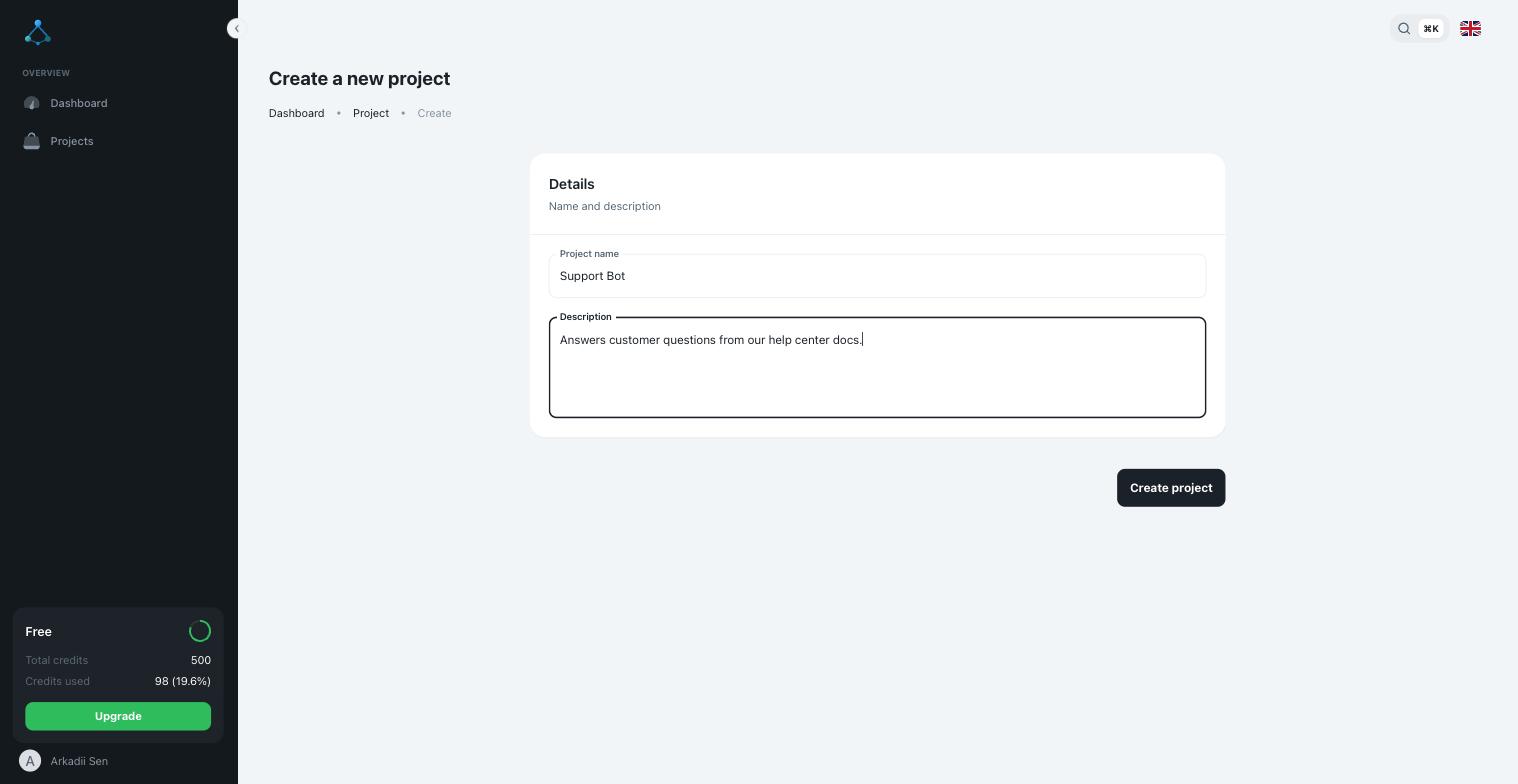
Sign in to AOVA and create a project — the folder that will hold your bot's knowledge, agent and channels.
Inside the project, create a knowledge base and click Upload to add your files.
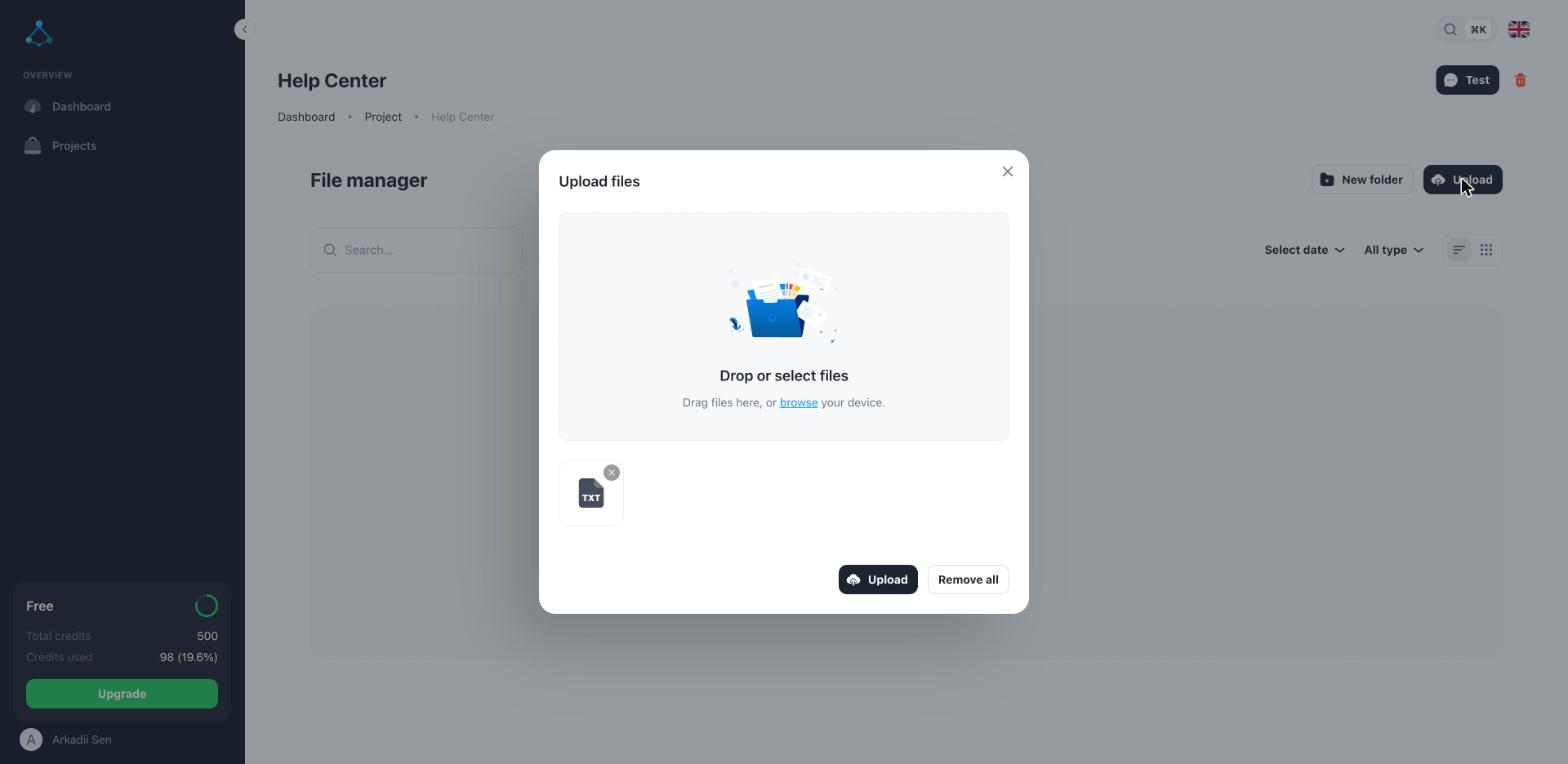
Files are indexed in the background; wait until the status shows a green check before testing. A few tips that make the biggest difference to answer quality:
- One topic per section. Clear headings ("Delivery", "Refunds", "Prices") help the bot find the right passage.
- Write facts down. If a price or rule only lives in your head, the bot can't know it.
- Recordings count. Webinars, lectures and voice notes are transcribed to text — see Add audio and video.
Step 3. Create an agent
The agent is the assistant itself: an AI model connected to your knowledge base, plus instructions about tone and boundaries.
- Open the Agents tab and click New agent.
- Pick the knowledge base you just filled and choose a model. Claude Haiku or Amazon Nova are fast and inexpensive defaults; move to a larger model if answers need more reasoning.
- Optionally, describe how it should talk: "Answer briefly and politely. If the answer isn't in the documents, say so and suggest contacting support@acme.com."
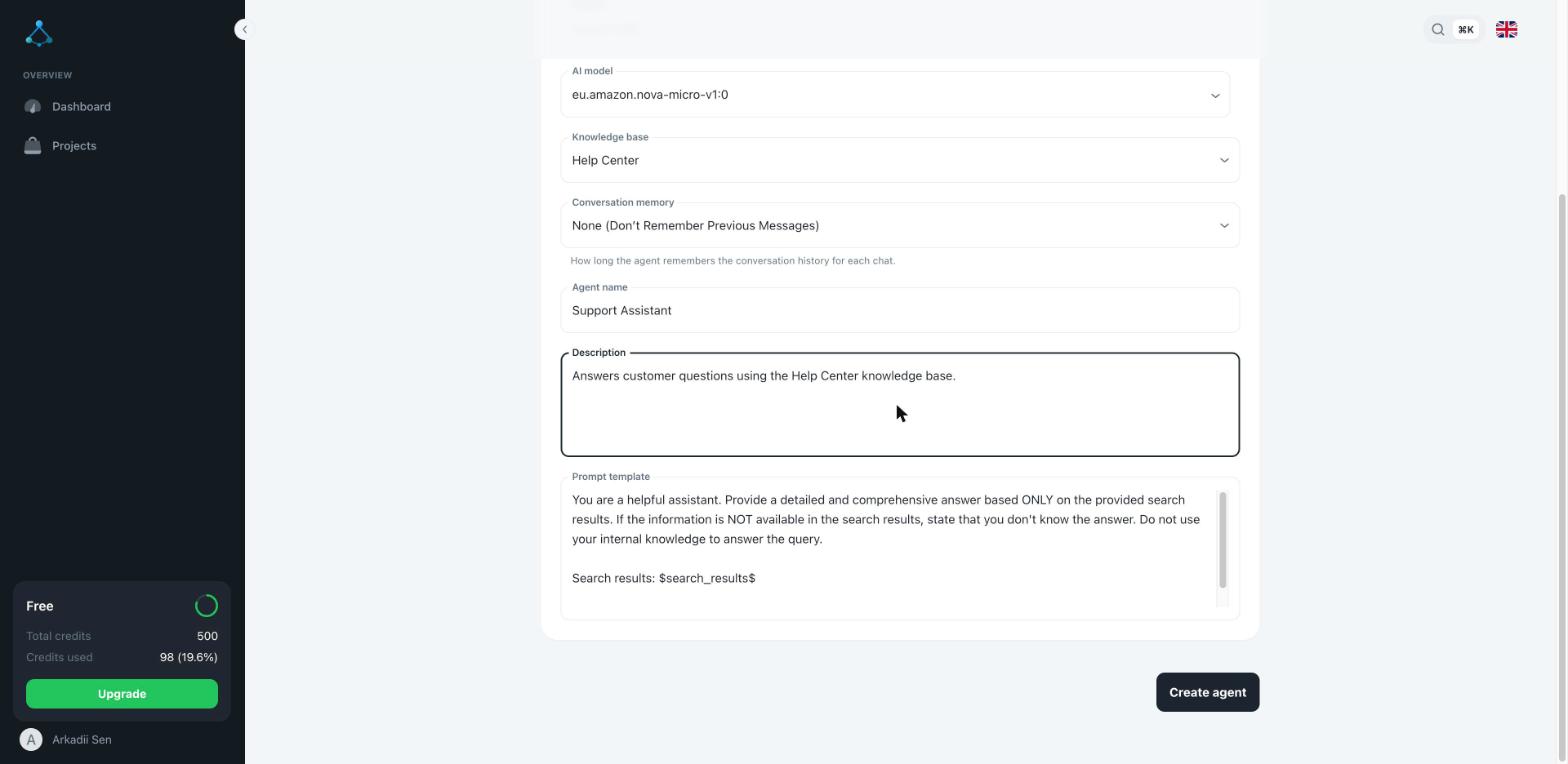
Click Test to chat with the agent right in the dashboard before connecting Telegram.
Step 4. Connect the Telegram channel
- On the agent's page, open the Channels panel and click Add channel.
- Choose Telegram, give the channel a name and paste the token from Step 1.
- Click Create.
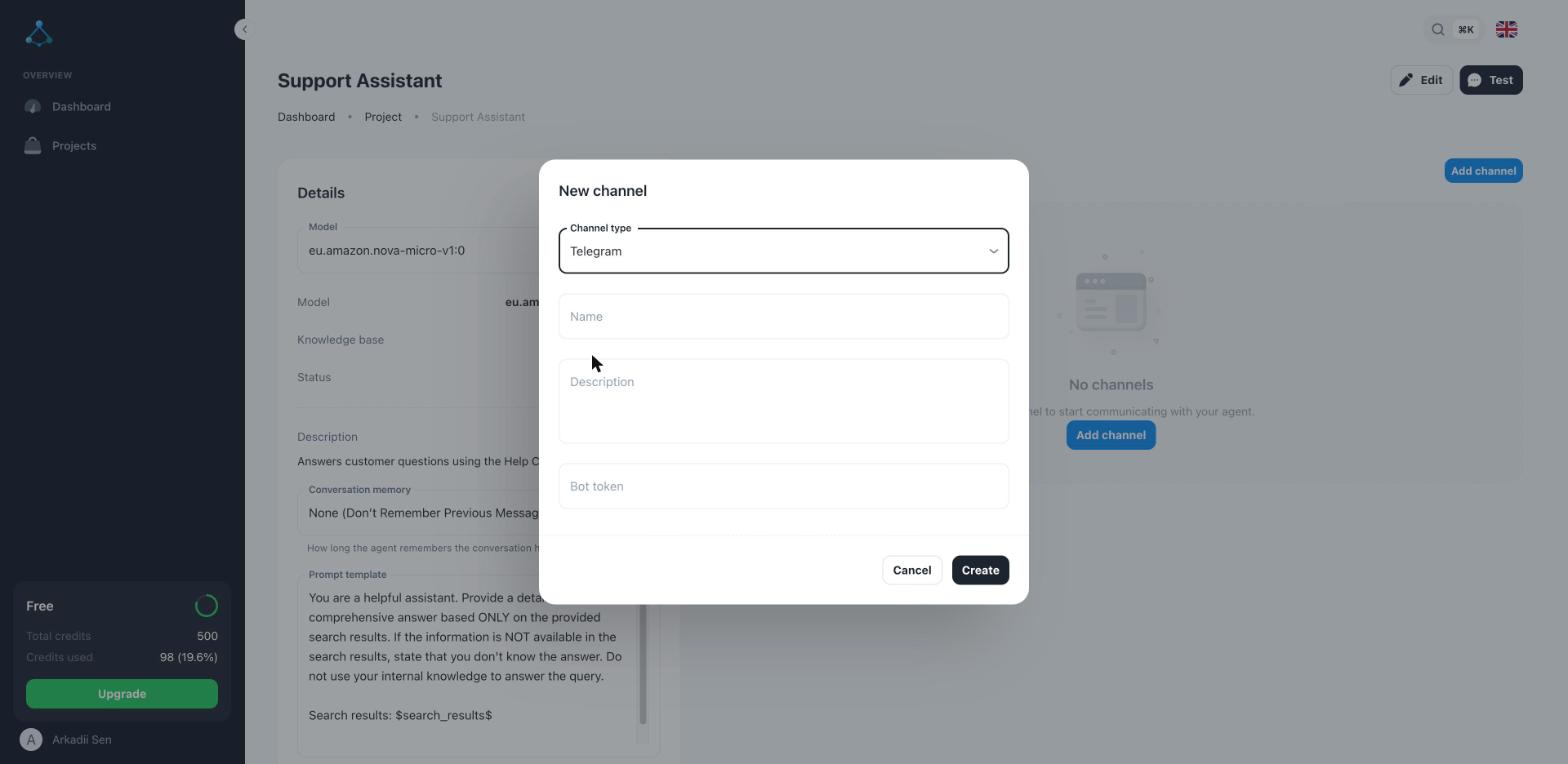
That's it. Open your bot in Telegram, press Start and ask it something from your documents.
Keep it improving
- Check the conversations. Every chat appears in Contacts, so you can see what people actually ask — and which questions your documents don't answer yet.
- Fill the gaps. When the bot says it doesn't know something it should, add a short document that covers it. That fixes the answer faster than rewording the instructions.
- Add more channels. The same agent can answer on your website with a chat widget — no extra setup of the knowledge.
FAQ
Do I need to know how to program? No. Everything above happens in Telegram and the AOVA dashboard.
Will the bot make things up? It answers from the passages it finds in your knowledge base (this approach is called retrieval-augmented generation). If the information isn't there, it follows your instructions — for example, saying it doesn't know. More in How your assistant answers.
What does it cost? There's a free plan to try it with your own documents. After that you pay in credits for the answers the bot actually gives — see pricing.
Can I use it in a Telegram group? AOVA connects to the bot you create; how the bot behaves in groups follows Telegram's own bot settings (such as privacy mode in @BotFather).
Ready to try? Create your Telegram bot for free →