Turn voice and video recordings into your bot's knowledge
· 2 min read

A lot of what you know was never written down. It's in webinars, lectures, client calls and voice notes — hours of recordings nobody will ever rewatch. AOVA can turn that speech into text and put it in your bot's knowledge base, so people can simply ask your recordings a question.
How it works
- You drop a recording into a knowledge base next to your documents.
- AOVA transcribes the speech to text, with a timestamp at the start of each paragraph.
- The transcript is indexed like any other document. Your agent — in Telegram, on your website, anywhere — can now answer from it.
The original audio or video isn't kept after transcription; only the text stays in your knowledge base.
Supported files
| What | Details |
|---|---|
| Audio | MP3, WAV, M4A, FLAC, OGG, AMR, WEBM |
| Video | MP4 (only the soundtrack is used) |
| Size and length | Up to 1 GB and 4 hours per file |
| Languages | Detected automatically: English, Russian, Ukrainian, German, French, Spanish, Italian, Portuguese, Polish, Turkish |
| Cost | 5 credits per minute of recording, rounded up per file |
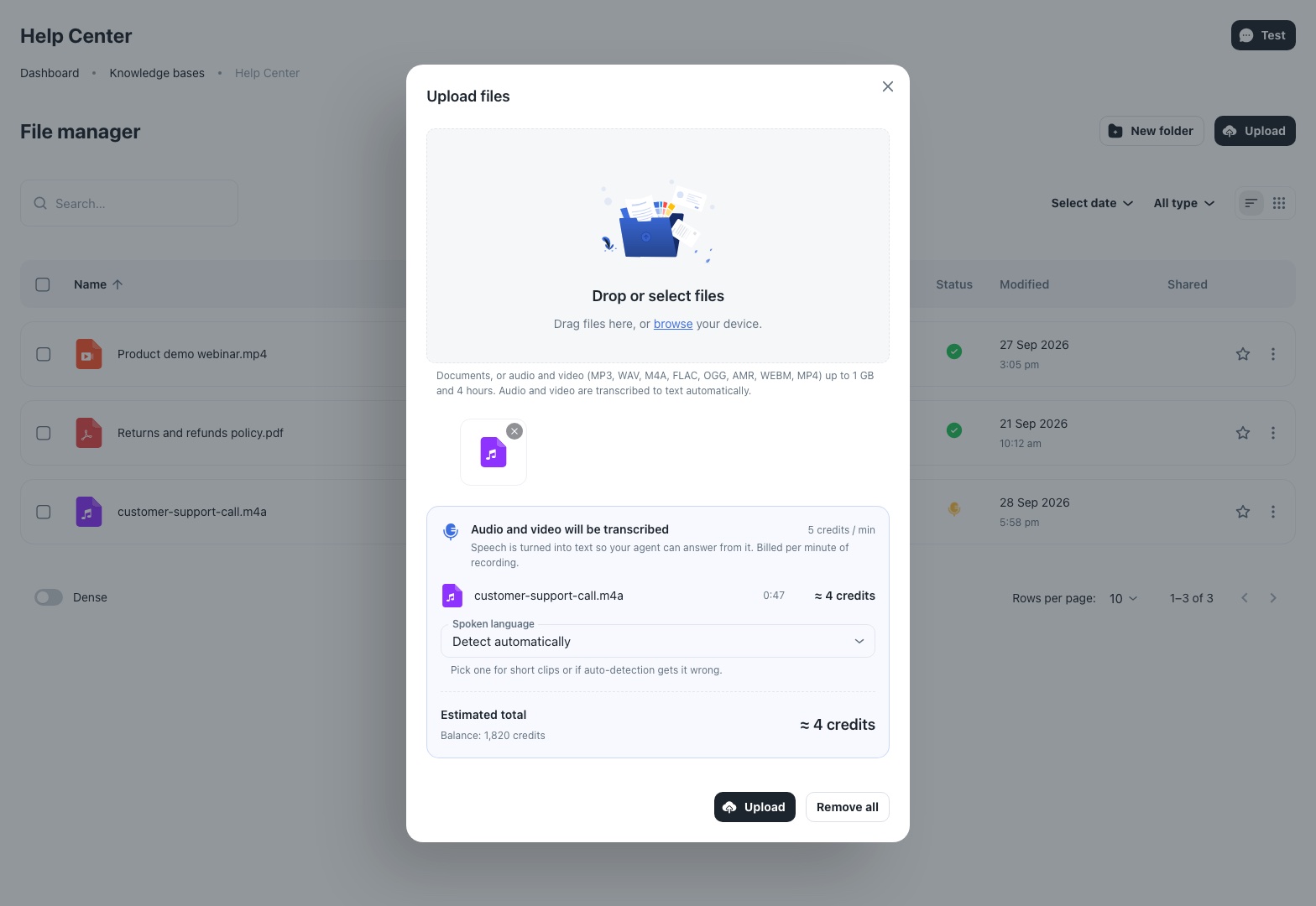
Before you upload, the dialog shows each recording's length, the estimated credits and your balance — so there are no surprises.
Good candidates
- Webinars and lectures — become a Q&A assistant for your course or community.
- Recorded consultations or demos — the explanations you've given a hundred times.
- Internal voice notes and meetings — decisions and know-how your team can search by asking.
Tips for better answers
- Pair recordings with a short glossary. Speech recognition can mishear names and brand words; a one-page document that spells them correctly fixes that.
- Set the language for short or mixed recordings. Auto-detection works best on longer clips.
- Recordings are answered from words only. The agent sees what was said — not slides, tone or what's on screen. If the slides matter, upload them as a PDF too.
Full details: Add audio and video. To put it all behind a Telegram bot, follow the step-by-step guide.