Get notified
AOVA tells you when something needs you, so you don't have to keep AOVA Studio open:
- A client is waiting for you - your agent handed a conversation over (Reply to clients yourself).
- A client writes while you answer - a new message in a conversation you have taken over.
- A new client starts a conversation - off unless you turn it on.
- Credits are running low - your plan and top-up credits dropped to about a tenth of your plan (50 on Free, 300 on Pro). It comes once, and again only after your credits are topped up or renewed.
- A recording is ready - an audio or video file you added to a knowledge base is transcribed, and your agents can use it in answers.
- A file couldn't be added - a file, website page or recording could not be added to a knowledge base. You get at most one of these an hour per knowledge base, so a website with many broken pages doesn't flood your phone.
The bell
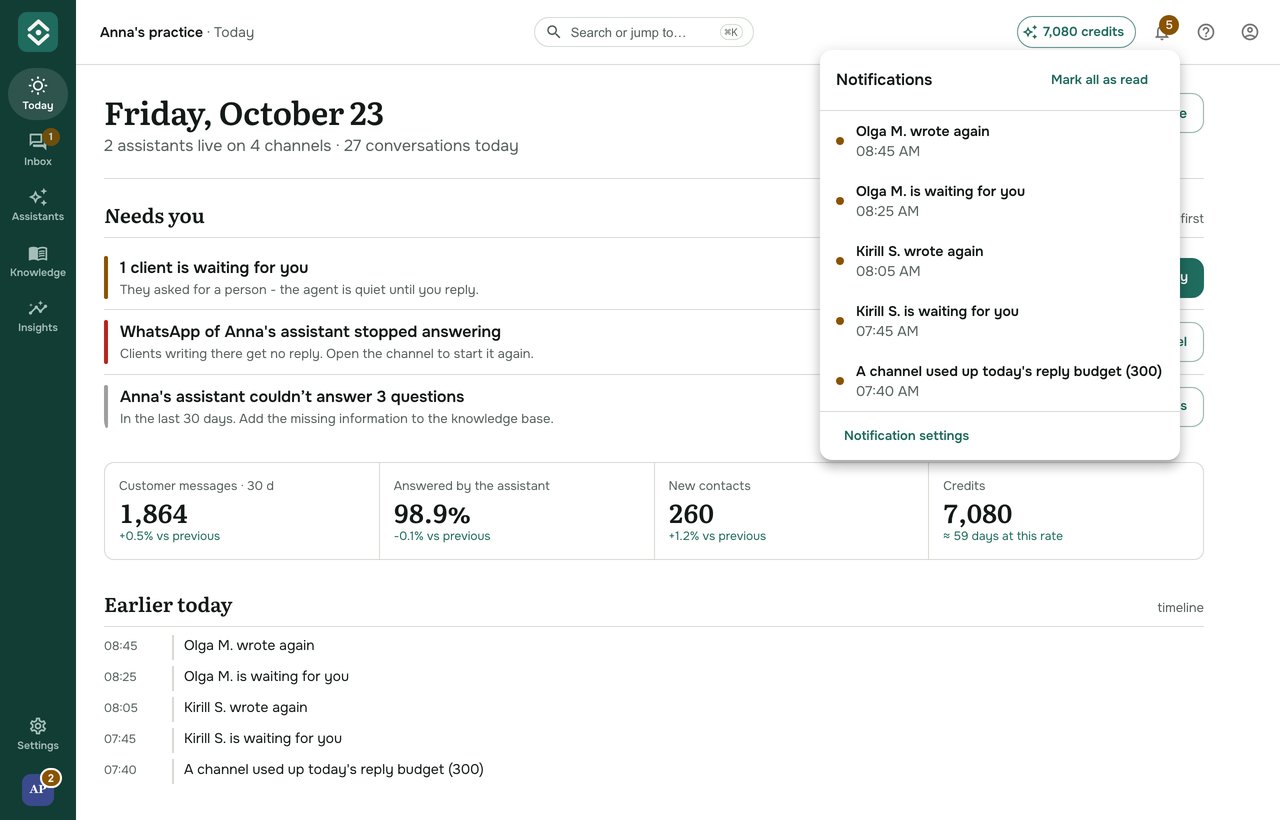
The bell at the top right of AOVA Studio shows the last 30 days. A number on it means there is something new. Click an entry to open that conversation (the knowledge base for a recording or a file, Plan & credits for credits running low), and Mark all as read to clear the number.
Today's entries also appear under Earlier today on Today.
Choose what you get
- Click the bell, then Notification settings at the bottom.
- For each kind, switch Push (the AOVA phone app) on or off. For a waiting client you can also choose Email: it is sent only when the agent's handoff settings allow it too.
- Show names and messages is off by default: a notification on your lock screen then only says that a client needs you, never who or what they wrote (nor the name of your file).
- Quiet hours: no pushes between the times you choose (your time zone). Everything still appears in the bell.
You can also open them from Settings → Notification settings. Changes are saved straight away. In the AOVA phone app the same settings are under More → Notifications.
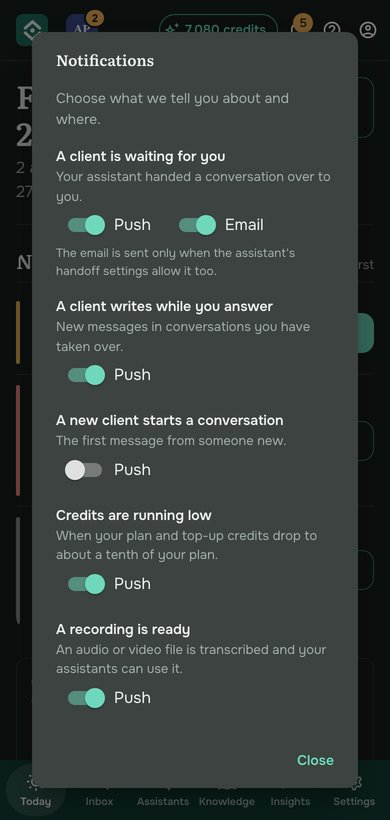
Your settings are your own: in a team, each person chooses for themselves.
Product news and offers by email
AOVA can email you now and then about new features, tips and discounts. This is optional and off unless you turn it on: with the unticked box when you sign up, the one-time question in AOVA Studio, or the Product news and offers by email switch under Settings → Notifications (in the phone app: More → Notifications). Every such email has an unsubscribe link, and saying no changes nothing else. Emails about your account (sign-in codes, receipts, changes to the service) always arrive.