Limit how often people can write
Every answer your agent gives uses credits. Message limits make sure one person - or a bot - can't send hundreds of messages and use them up. They are on for every channel from the start, with limits a real client almost never reaches:
| Per person | Default |
|---|---|
| Per minute | 8 |
| Per hour | 60 |
| Per day | 200 |
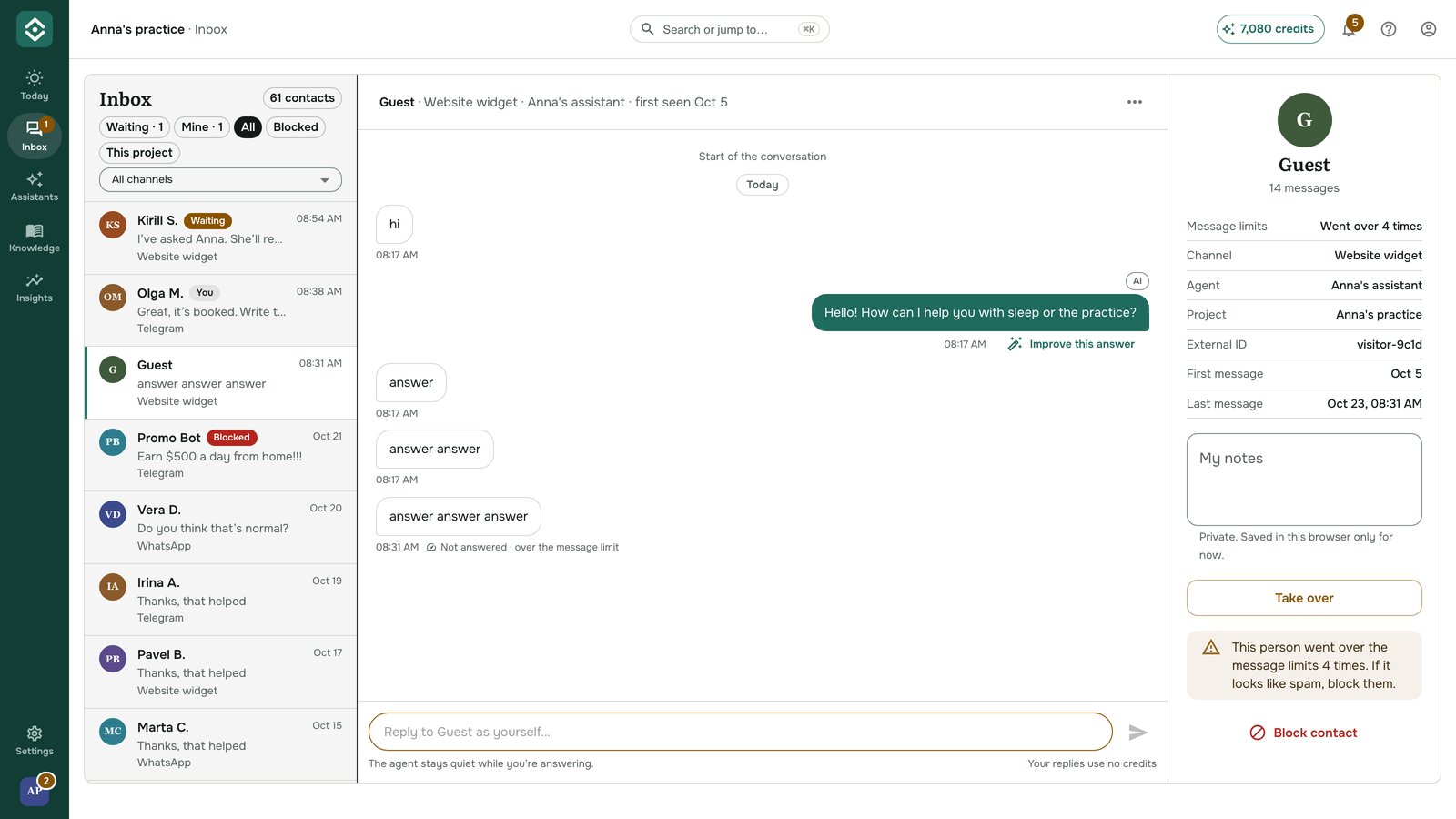
A message over a limit never reaches your agent: it isn't answered and costs no credits.
What the person sees
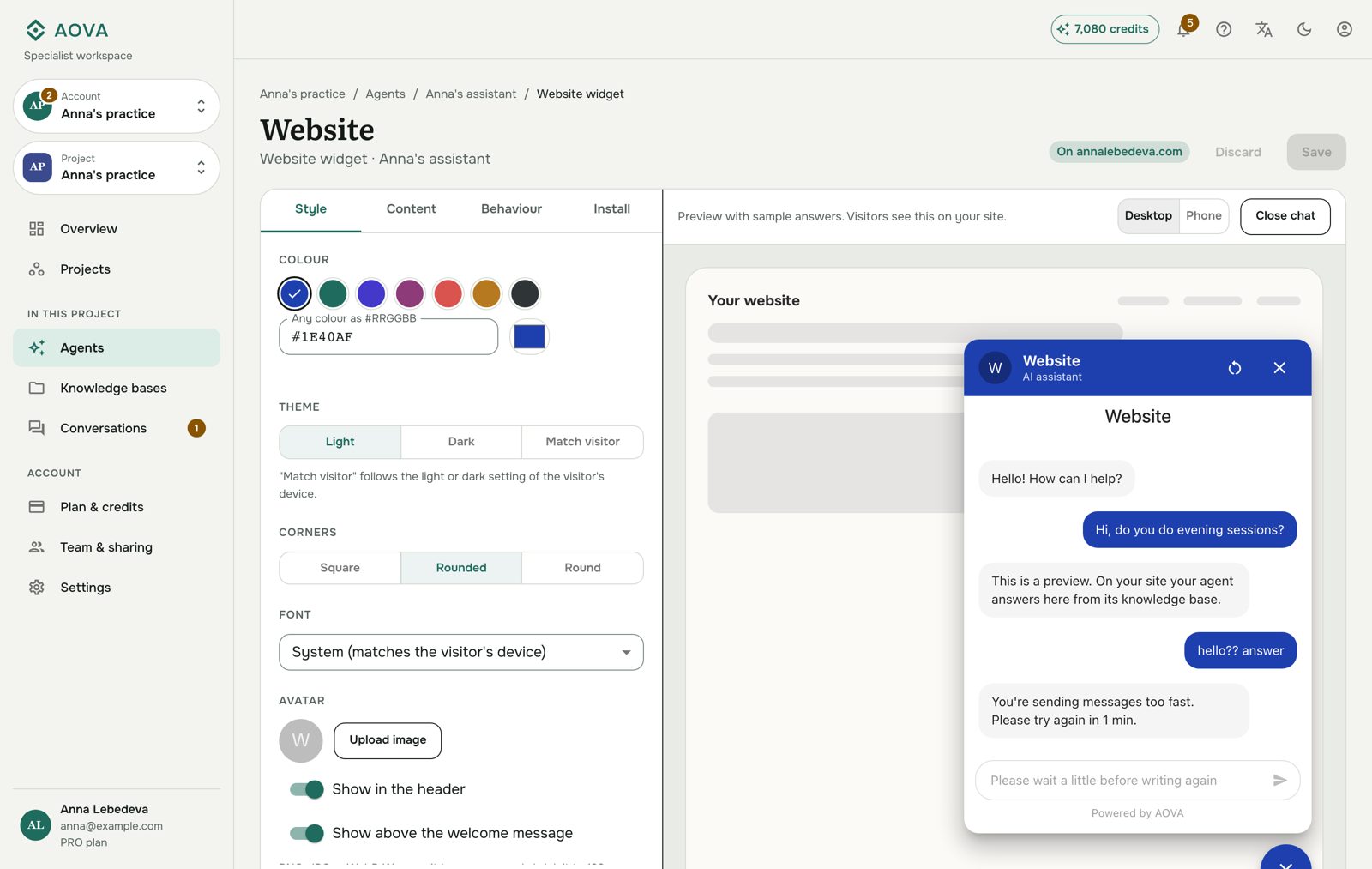
The first time someone goes over a limit, they get a short message telling them when they can write again - "You're sending messages too fast. Please try again in 2 min." or, for the daily limits, "You've reached today's message limit for this assistant. Please come back tomorrow." (in Russian for Russian speakers). Anything else they send until then gets no answer at all, so a flood is never answered with a flood.
In the website widget, the notice appears as the reply and the message box is paused until they can write again.
Change the limits
- Open Assistants in the rail, click the assistant, then its Channels tab.
- On the channel's card, click ⋯ → Edit settings.
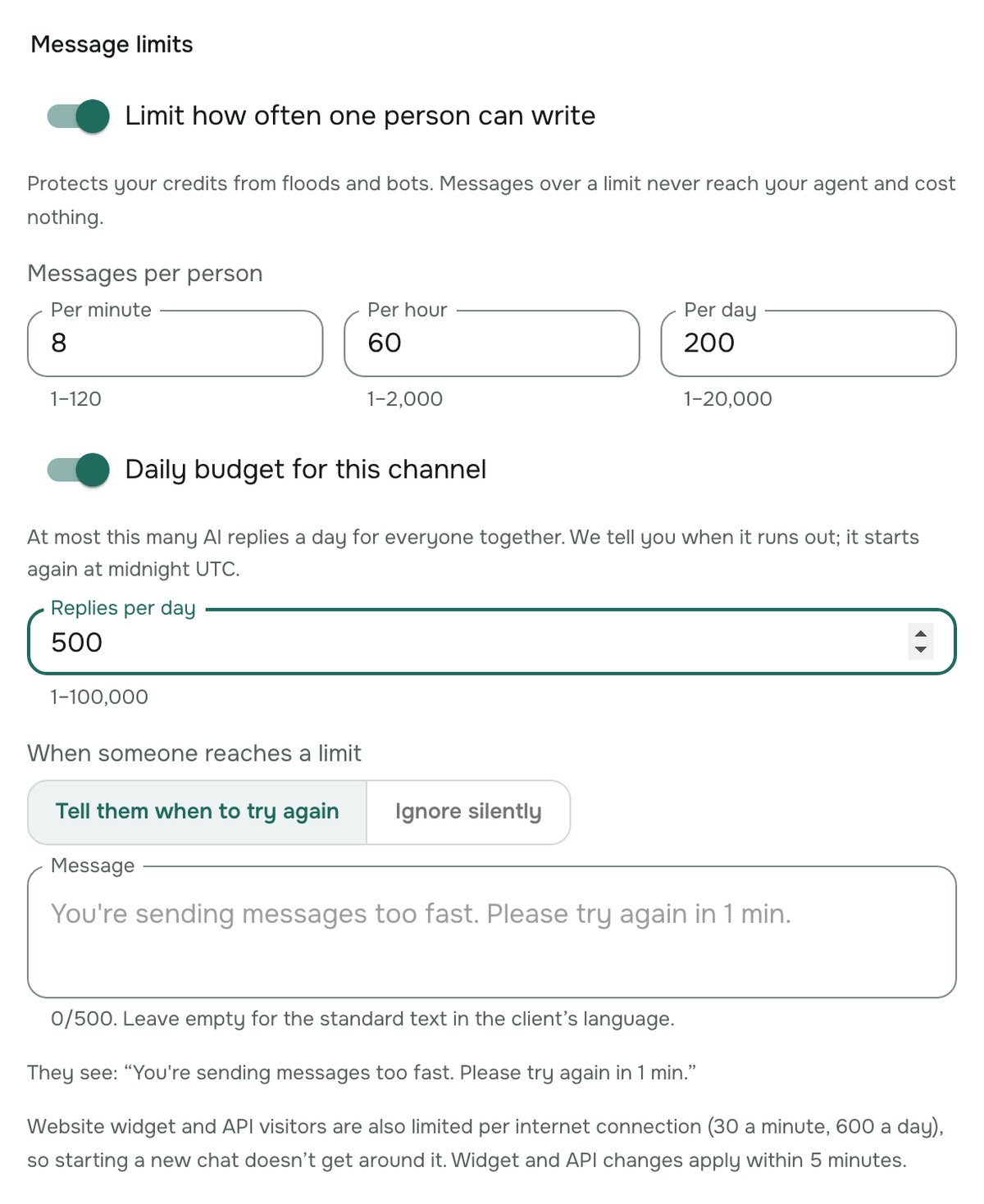
- Under Message limits, change the numbers per minute, hour and day, or switch the limits off.
- Choose what people see: Tell them when to try again (your own text, or the standard one if you leave it empty, up to 500 characters) or Ignore silently.
- Click Save.
For the widget and the API, a changed setting can take up to 5 minutes to apply.
A daily budget for the whole channel
The limits above are per person. To cap what a channel can cost you in a day, also switch on Daily budget for this channel and set the number of AI replies per day for everyone together. When it runs out, the channel stops answering until midnight UTC, and we tell you once in the notification bell and on your phone (see Get notified). Tapping it opens the agent, where you can raise the budget.
Website visitors and bots
Telegram and WhatsApp count each person by their account, which they can't change. A website visitor could start a new chat for every message, so widget and Chat API messages are also limited per internet connection: 30 a minute and 600 a day. You can't change these, and they are high enough for an office full of people writing to you at once.
See who reached a limit
In the Inbox, a message that went over a limit is marked Not answered · over the message limit - once per limit, not every message. The contact details show how many times the person went over (Message limits). After three times they suggest blocking them, so their messages stop reaching the agent for good.