Manage your plan and credits
Everything about paying for AOVA is on Plan & credits. To open it, click your credit balance at the top right of any page, or open Settings and click Plan & credits under Plan, team and projects. It is also in the account menu at the top right.
Your balance
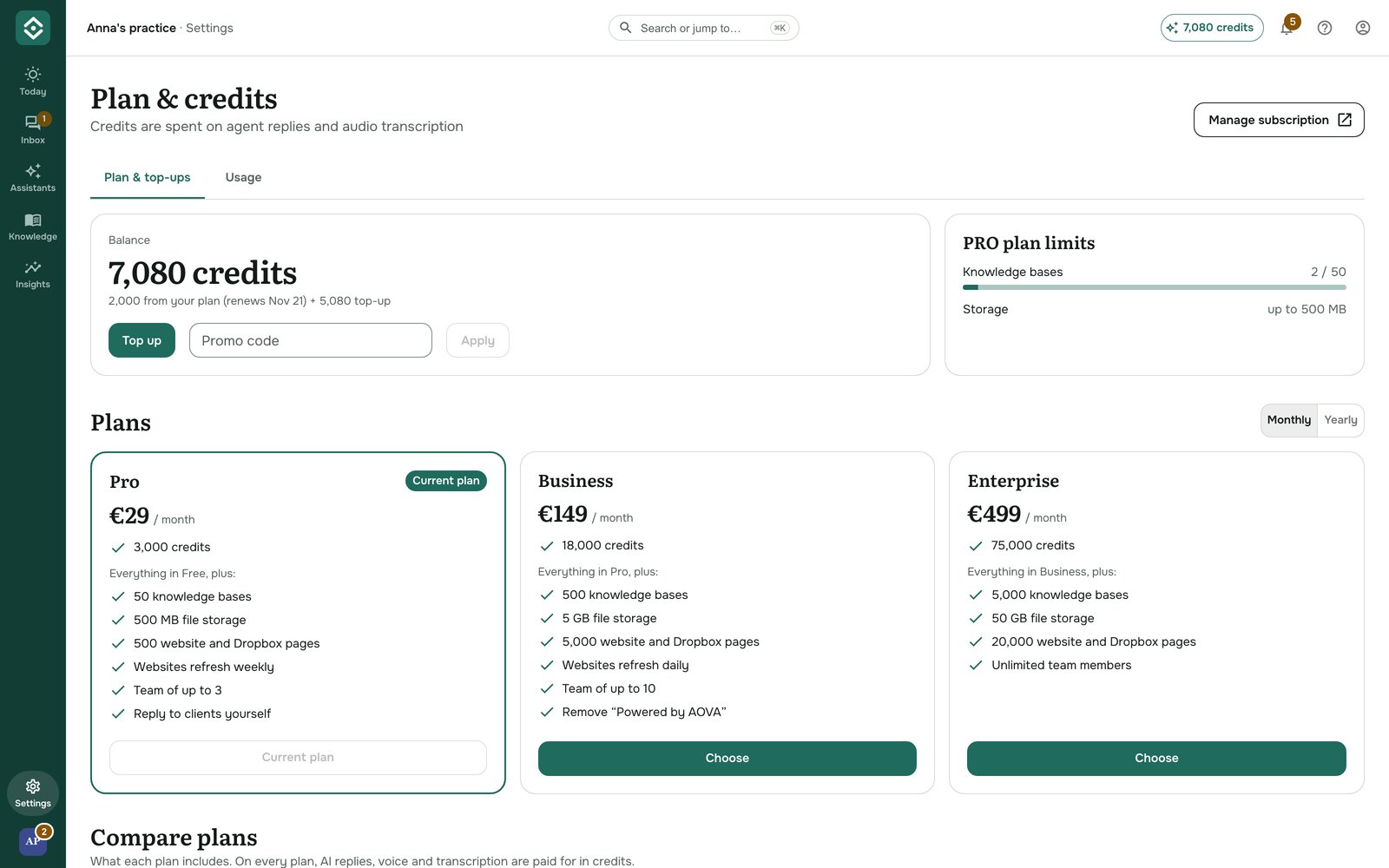
Credits are spent on agent replies (including your own test chats) and on transcribing audio and video. Your balance has two parts:
- From your plan: the credits included in your plan. On a paid plan they are refilled when the plan renews, on the date shown. The Free plan's 200 credits are given once and don't refill.
- Top-up: credits you bought separately. They are used after your plan credits and don't expire when the plan renews.
All projects and assistants in your account share the same balance. Where your credits went is on the Usage tab of this page, and at the bottom of Insights.
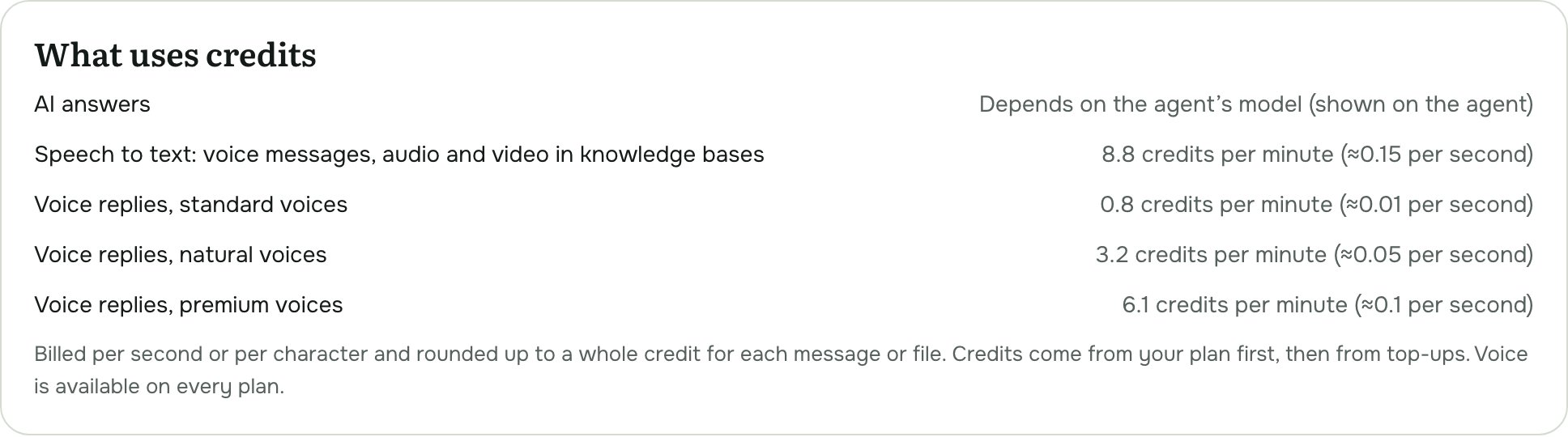
How many credits an answer costs depends on the agent's model; see Configure an agent. Speech to text (Telegram voice messages, audio and video in knowledge bases) costs 8.8 credits per minute, and Telegram voice replies 0.8, 3.2 or 6.1 credits per minute depending on the voice quality. What uses credits, under Compare plans on Plan & credits, lists every price.
Plan limits
The card next to your balance shows what your plan allows: how many knowledge bases you can have and how much storage your files can use.
What each plan includes
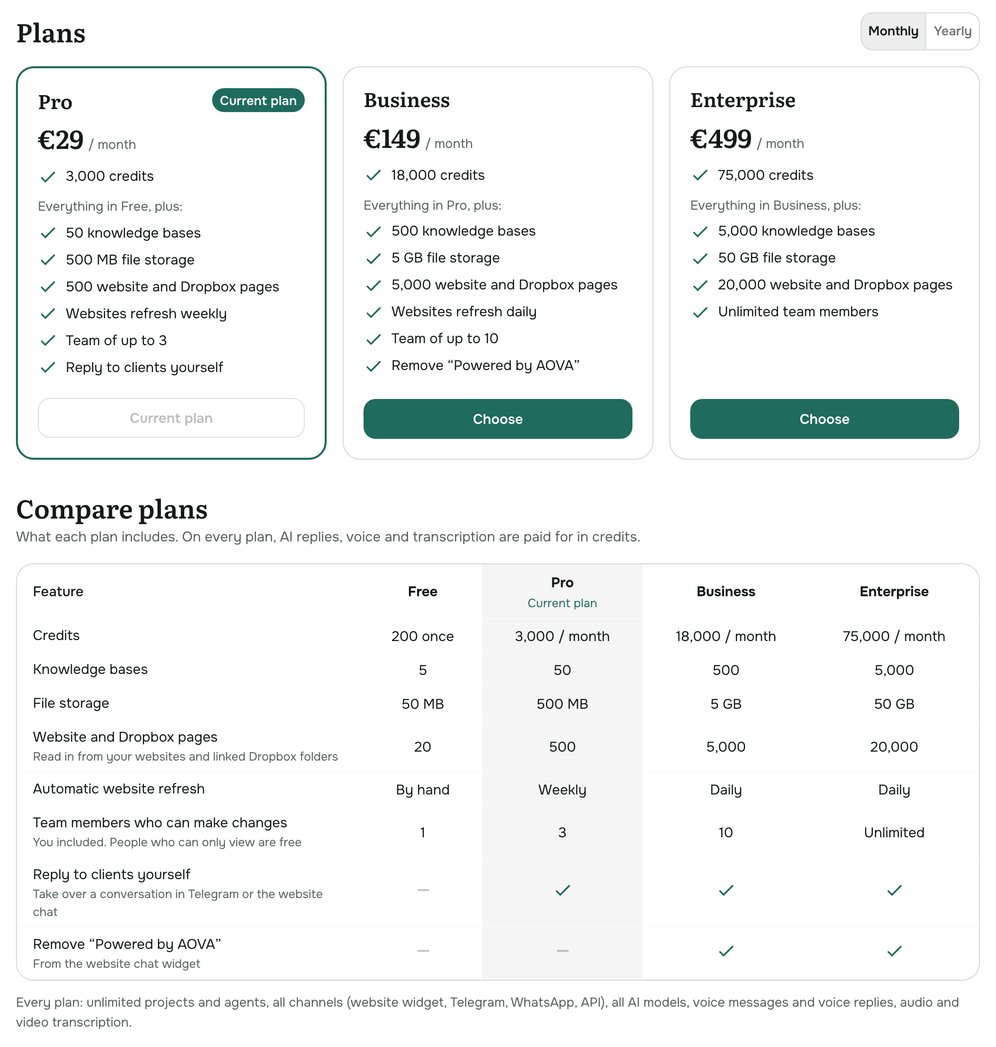
Each plan card lists what it adds to the plan below it, and Compare plans, under the cards, shows all plans side by side with yours marked.
| Free | Pro | Business | Enterprise | |
|---|---|---|---|---|
| Credits | 200 once | 3,000 / month | 18,000 / month | 75,000 / month |
| Knowledge bases | 5 | 50 | 500 | 5,000 |
| File storage | 50 MB | 500 MB | 5 GB | 50 GB |
| Website and Dropbox pages | 20 | 500 | 5,000 | 20,000 |
| Automatic website refresh | by hand | weekly | daily | daily |
| Team members who can make changes | 1 | 3 | 10 | unlimited |
| Reply to clients yourself | - | ✓ | ✓ | ✓ |
| Remove "Powered by AOVA" from the website widget | - | - | ✓ | ✓ |
Team members who can only view don't count. Every plan has unlimited projects and agents, all channels (website widget, Telegram, WhatsApp, API), all AI models, voice messages and voice replies, and audio and video transcription - all paid for in credits.
Change your plan
Every account starts on the Free plan. To move to a paid plan:
- Under Plans, pick Monthly or Yearly. A yearly plan costs less per month.
- Click Choose on the plan you want.
- Pay on the secure Stripe checkout page. You're brought back to AOVA afterwards.
Your new credits appear within a few seconds of paying. Current prices are on the pricing page.
Buy more credits
Under Top-ups, click Buy on a pack. Top-up credits are added to your balance as soon as the payment goes through.
Use a promo code
Enter the code under Promo code and click Apply. The bonus credits are added straight away. You can redeem one promo code per account.
Invoices, payment method and cancelling
Click Manage subscription at the top of the page. It opens Stripe's billing portal, where you can download invoices, change your card, switch plans or cancel.
When you cancel, your plan stays active until the end of the period you paid for; the page shows Your plan ends on that date. After that your account goes back to the Free plan.
Troubleshooting
- The new plan or credits don't show yet. Wait a few seconds and reload the page.
- An agent stopped answering. Check your balance at the top right. If it's at zero, top up or wait for the plan to renew.