Reply to clients yourself
Your agent answers clients on its own. When someone wants a person, or you'd rather answer a question yourself, you can take the conversation over: you write from the Conversations page, and the agent steps aside in that one conversation until you give it back.
Available on Pro, Business and Enterprise, for Telegram and the website widget. Replying on WhatsApp and through the Chat API is coming soon.
Turn on human handoff for an agent
- Open Agents, then the agent.
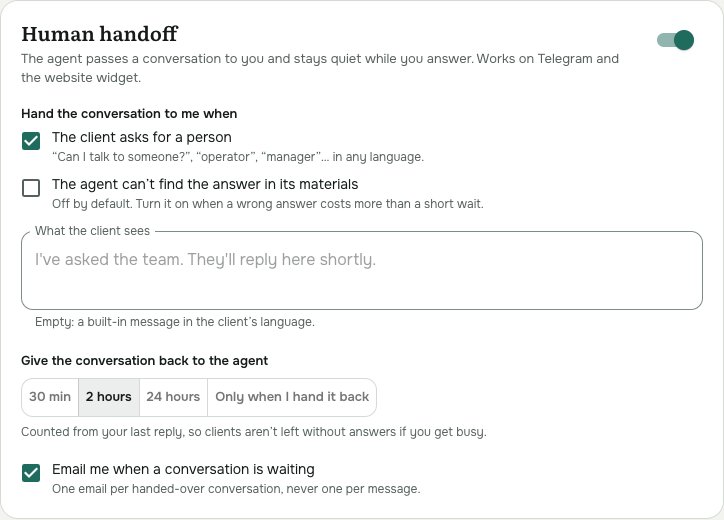
- On the Settings tab, scroll to Human handoff and switch it on.
- Choose when the agent hands a conversation to you:
- The client asks for a person - "Can I talk to someone?", "operator", "manager"... in any language. On by default.
- The agent can't find the answer in its materials - off by default. Turn it on when a wrong answer costs more than a short wait.
- Under What the client sees, write the message the agent sends when it hands over, or leave it empty for the built-in one in the client's language ("I've asked the team. They'll reply here shortly.").
- Choose when the conversation goes back to the agent: 30 min, 2 hours, 24 hours after your last reply, or Only when I hand it back.
- Leave Email me when a conversation is waiting on to get one email per handed-over conversation.
- Click Save.
See who is waiting for you
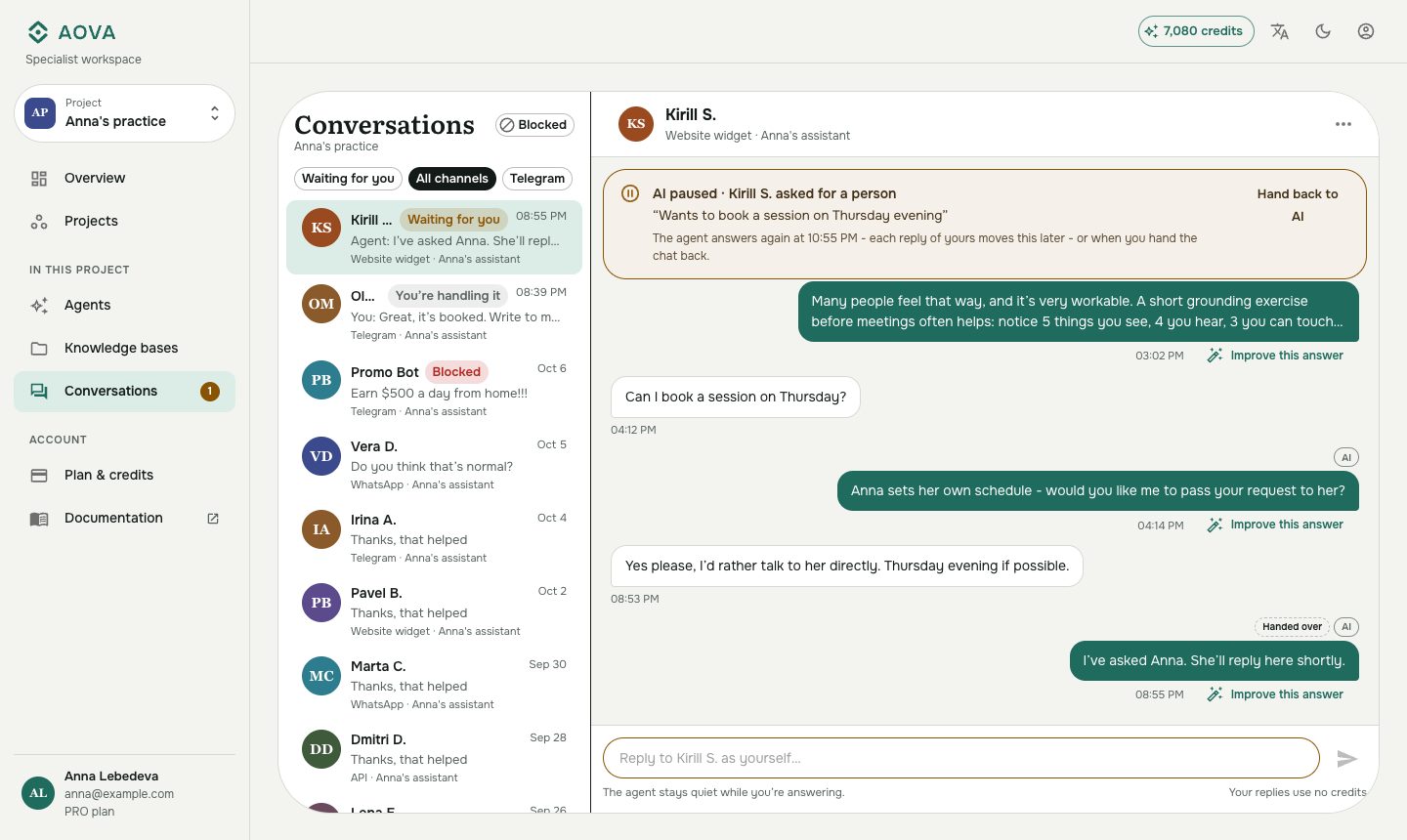
When the agent hands a conversation over, it shows Waiting for you in the list, and the number of waiting conversations appears next to Conversations in the menu and in the browser tab, like (3) AOVA. Click Waiting for you above the list to see only those.
The conversation opens with an amber AI paused bar: why it was handed over, a one-line summary of what the client needs, and when the agent answers again.
Reply
Type in the box at the bottom and press Enter (Shift+Enter starts a new line). Your message goes to the client as written - from your Telegram bot, or in the chat on your website - and costs no credits. A ✓✓ under it means the client's app accepted it; Not delivered usually means the client blocked the bot or deleted the chat.
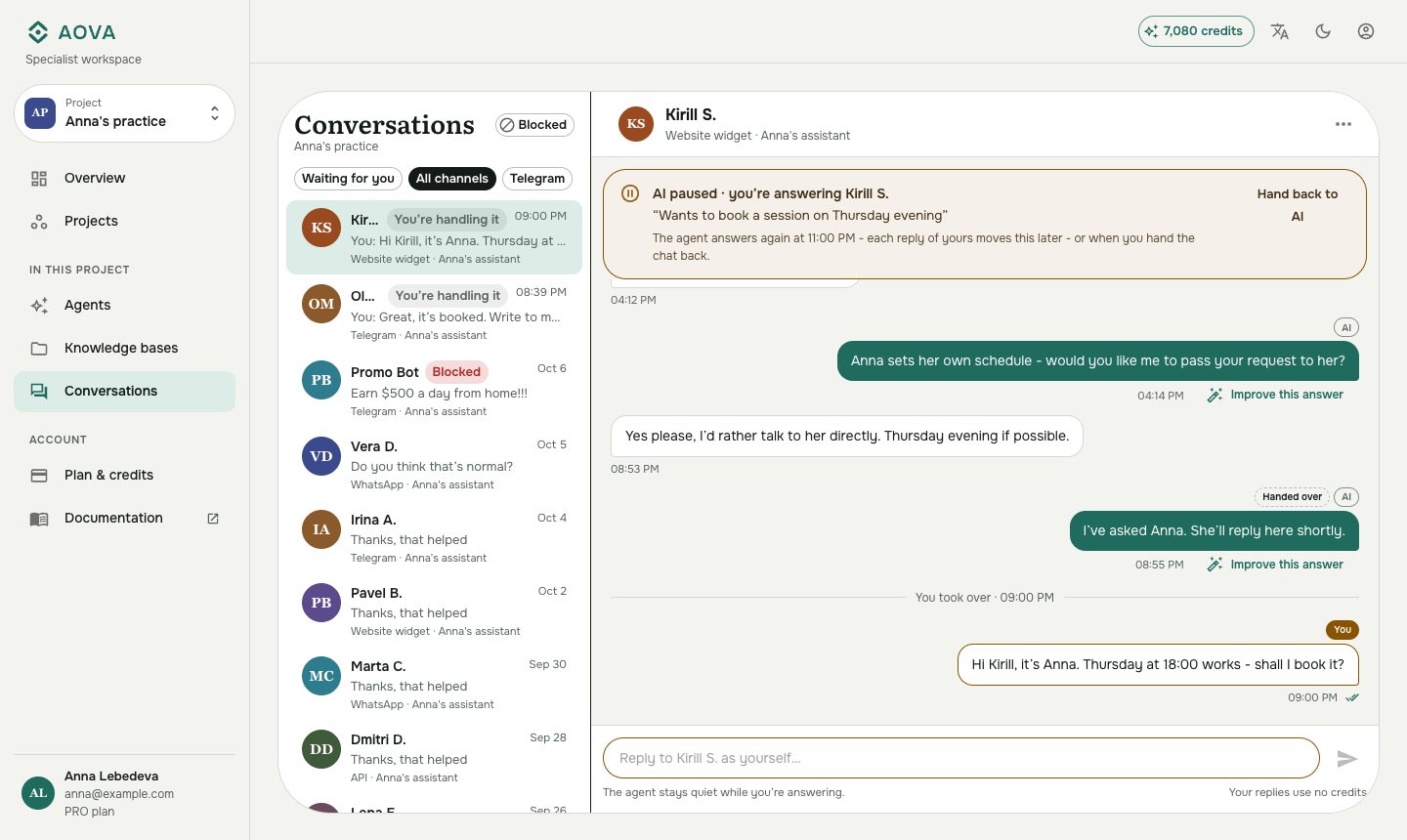
While you're answering, the conversation shows You're handling it and the agent stays quiet. If the client writes again, their message is marked For you · the agent didn't answer and the conversation goes back to Waiting for you.
You can also take a conversation over before anyone asks: open it and simply reply, or choose Take over in the ⋯ menu.
Give the conversation back to the agent
Click Hand back to AI in the amber bar, in the ⋯ menu, or in the contact details. The agent answers the client's next message again. If you forget, the agent comes back by itself after the time you chose in the agent's settings, counted from your last reply.
What the client sees
| Channel | What happens |
|---|---|
| Telegram | The agent's handover message, then your replies from the same bot. |
| Website widget | The handover message, then A team member joined the chat and your replies in the open chat. A visitor who closed the chat sees them on reopening. |