Send events to your tools (webhooks)
When something happens in a project, AOVA can send it to your other tools straight away: a new lead to your CRM, a handover to your team chat, a new conversation to a spreadsheet. AOVA posts a signed message to an address you give it - from Zapier, Make or n8n, or your own server. Pro and higher plans.
| Event | When | What it carries |
|---|---|---|
lead.captured | A client leaves their contact details | name, phone, email, what they need |
conversation.started | A new client writes for the first time | their name, if known |
conversation.handoff_requested | Your assistant hands a conversation to you | why, and the assistant's one-line summary |
Add a webhook
- In Zapier, Make or n8n, create a scenario that starts with a webhook ("Catch Hook" in Zapier, "Custom webhook" in Make, "Webhook" in n8n) and copy its address.
- In AOVA, open Settings → Integrations (for the project you're in) and click Add webhook.
- Give it a name, paste the address (it must start with
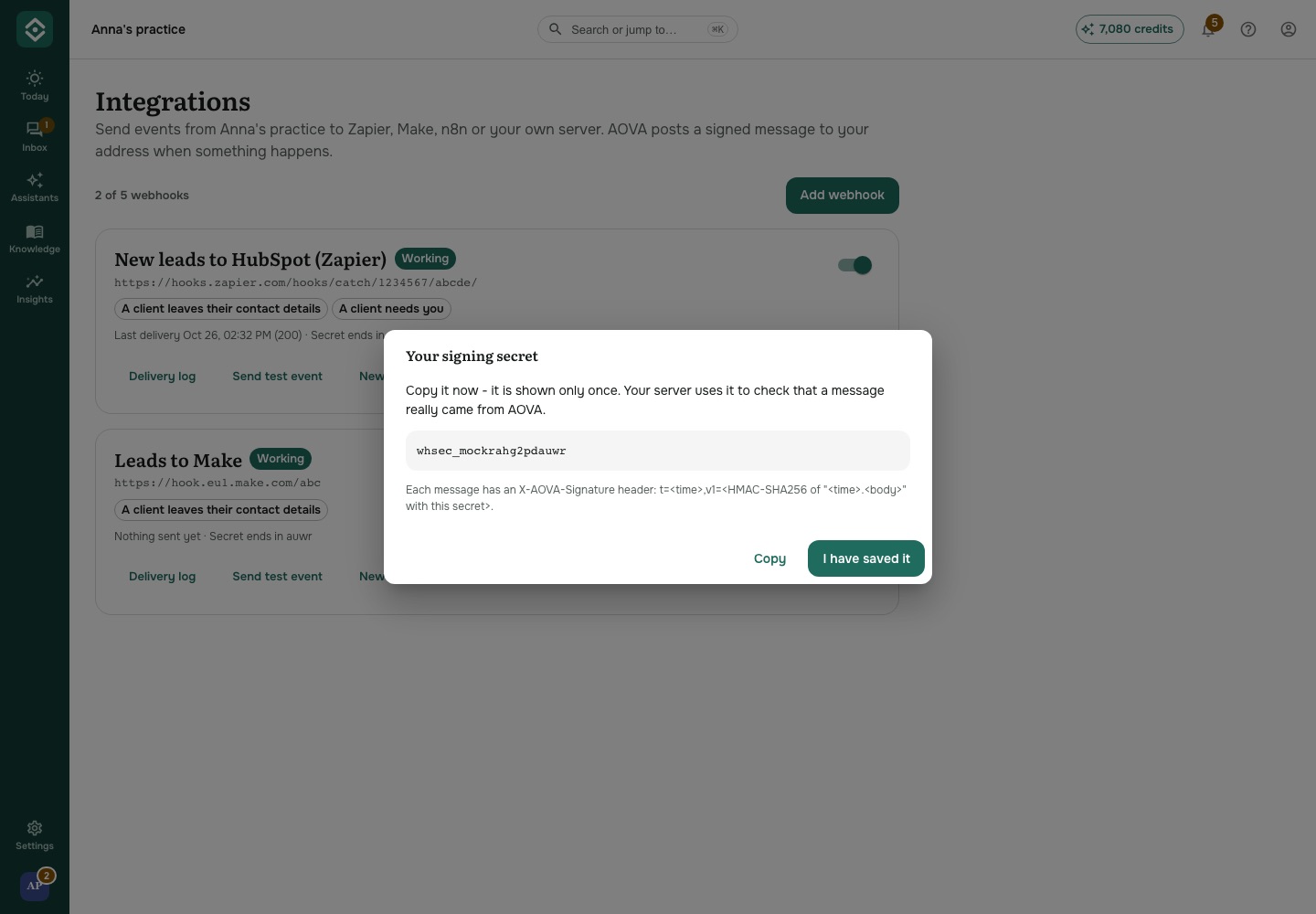
https://) and tick the events to send. - Click Save. AOVA shows the webhook's signing secret once - copy it if your server checks signatures (Zapier, Make and n8n don't need it).
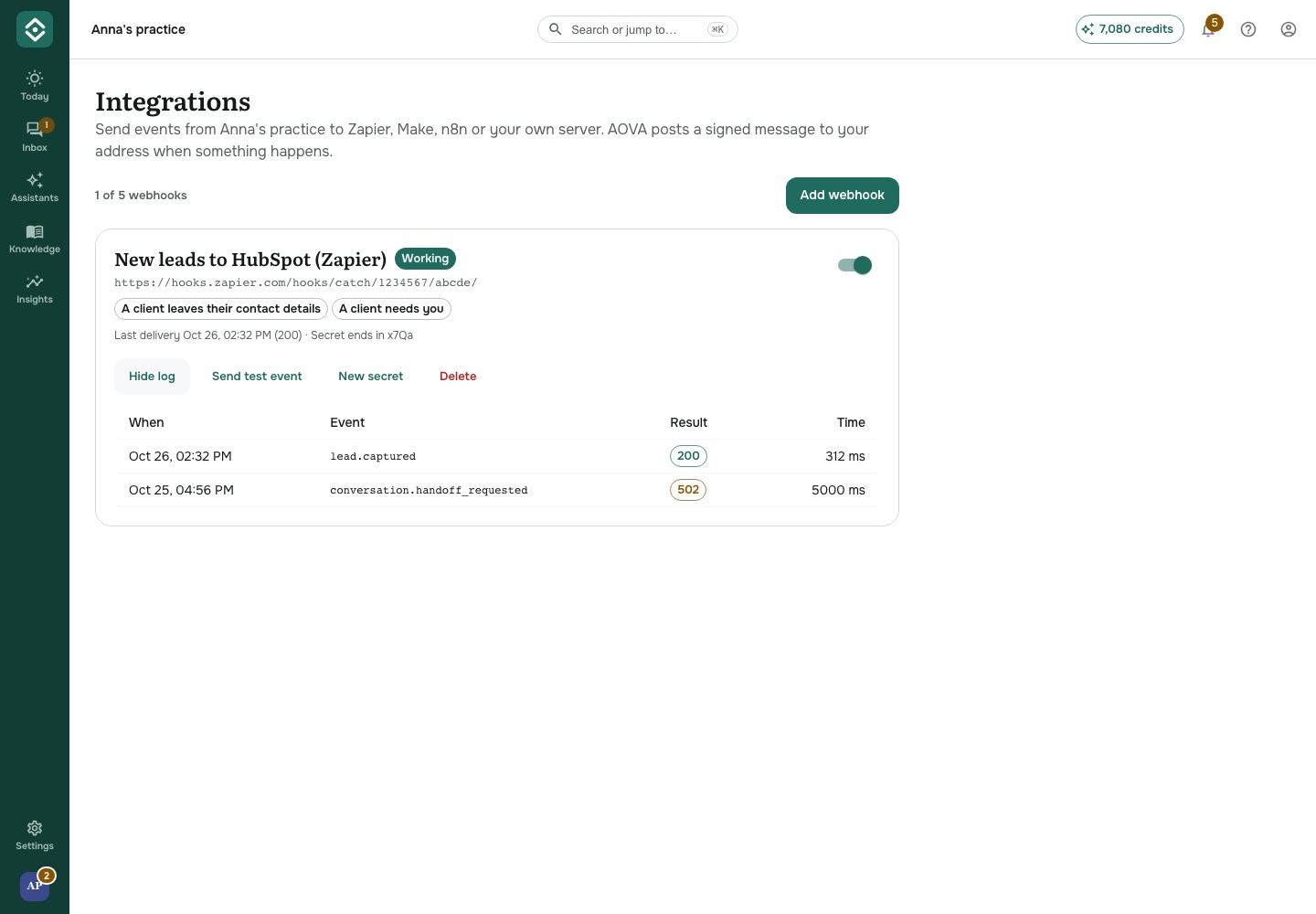
Click Send test event to send sample data now - most tools need one to learn the fields. A project can have up to 5 webhooks; only people who manage the team (Admins) can change them.
What arrives
A POST with a JSON body like this:
{
  "id": "6e1c2a0f-7d0a-4c1b-9b8e-2f3a4c5d6e7f",
  "type": "lead.captured",
  "createdAt": "2026-10-26T17:00:00.000Z",
  "projectId": "…",
  "agentId": "…",
  "contactId": "…",
  "channel": "WIDGET",
  "data": {
    "lead": {
      "name": "Maria Kelly",
      "phone": "+353871234567",
      "email": "maria@example.com",
      "note": "Wants a first session about sleep",
      "capturedAt": "2026-10-26T17:00:00.000Z"
    }
  }
}
Headers: X-AOVA-Event (the type), X-AOVA-Event-Id (the same as id - if you get an id twice,
ignore the second) and X-AOVA-Signature.
If your server doesn't answer
Answer with any 2xx status within 5 seconds. Anything else - another status, a timeout, an address
that can't be reached - counts as a failure, and AOVA tries again after 1 minute, 5 minutes,
15 minutes, 30 minutes, 1 hour, 3 hours, then every 6 hours, for up to 24 hours. After 5 failures in
a row the webhook shows Failing; the next delivery that works clears it.
Click Delivery log on a webhook to see the last attempts: when, which event, the status your server answered and how long it took. The log is kept for 30 days and never stores what was sent.
Check the signature (your own server)
X-AOVA-Signature looks like t=1793000000,v1=5f2b…: v1 is an HMAC-SHA256, in hex, of
<t>.<the raw body> with your signing secret. Reject a message whose signature doesn't match or
whose t is more than 5 minutes old.
import { createHmac, timingSafeEqual } from 'node:crypto';

function isFromAova(rawBody, header, secret) {
  const parts = Object.fromEntries(header.split(',').map((p) => p.split('=')));
  if (Math.abs(Date.now() / 1000 - Number(parts.t)) > 300) return false;
  const expected = createHmac('sha256', secret)
    .update(`${parts.t}.${rawBody}`)
    .digest();
  const given = Buffer.from(parts.v1 ?? '', 'hex');
  return given.length === expected.length && timingSafeEqual(given, expected);
}
Lost the secret? Click New secret - the old one stops working at once.