Share your assistant as a link and QR code
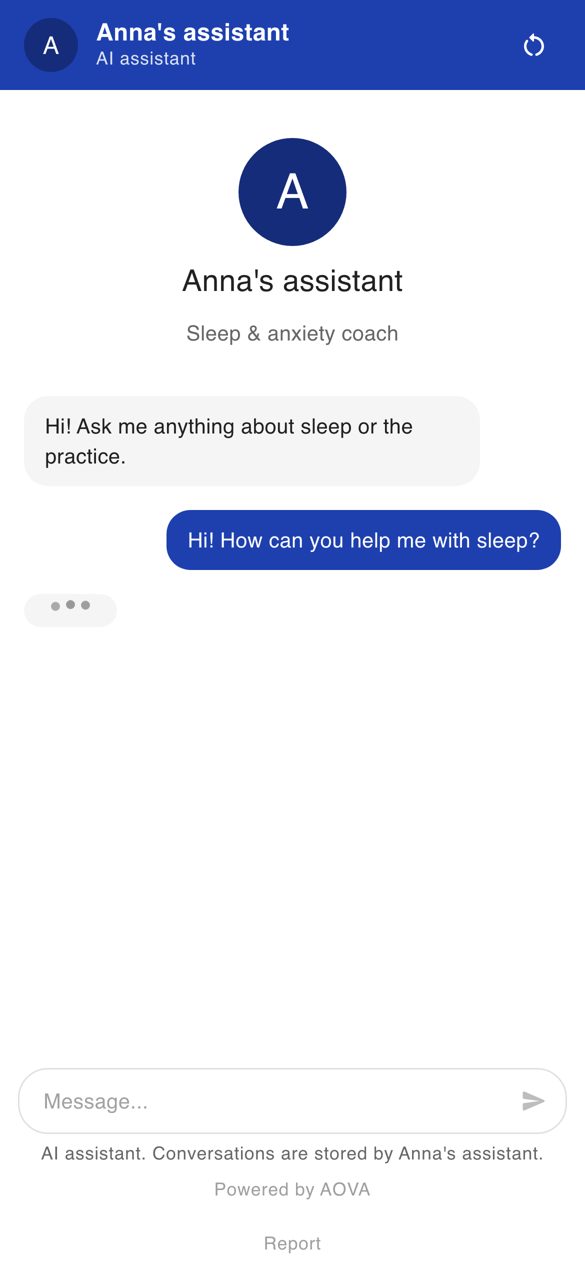
No website? Share your assistant as its own web page instead: put the link in your Instagram bio, send it in a message, or print the QR code on a flyer, a menu or at your front desk. Clients open it on their phone and chat right away - no app, no sign-up.
The link uses your agent's website widget: the same look, greeting and answers, and its conversations appear in the Inbox marked via link.
Turn the link on
- Open Assistants in the rail, click the assistant, then its Channels tab.
- In the Link & QR card, click Create a link (if the agent has no website widget yet, we create one for you) or switch Link is on.
- Use Copy link, Open, or download the QR code as PNG (for print) or SVG.
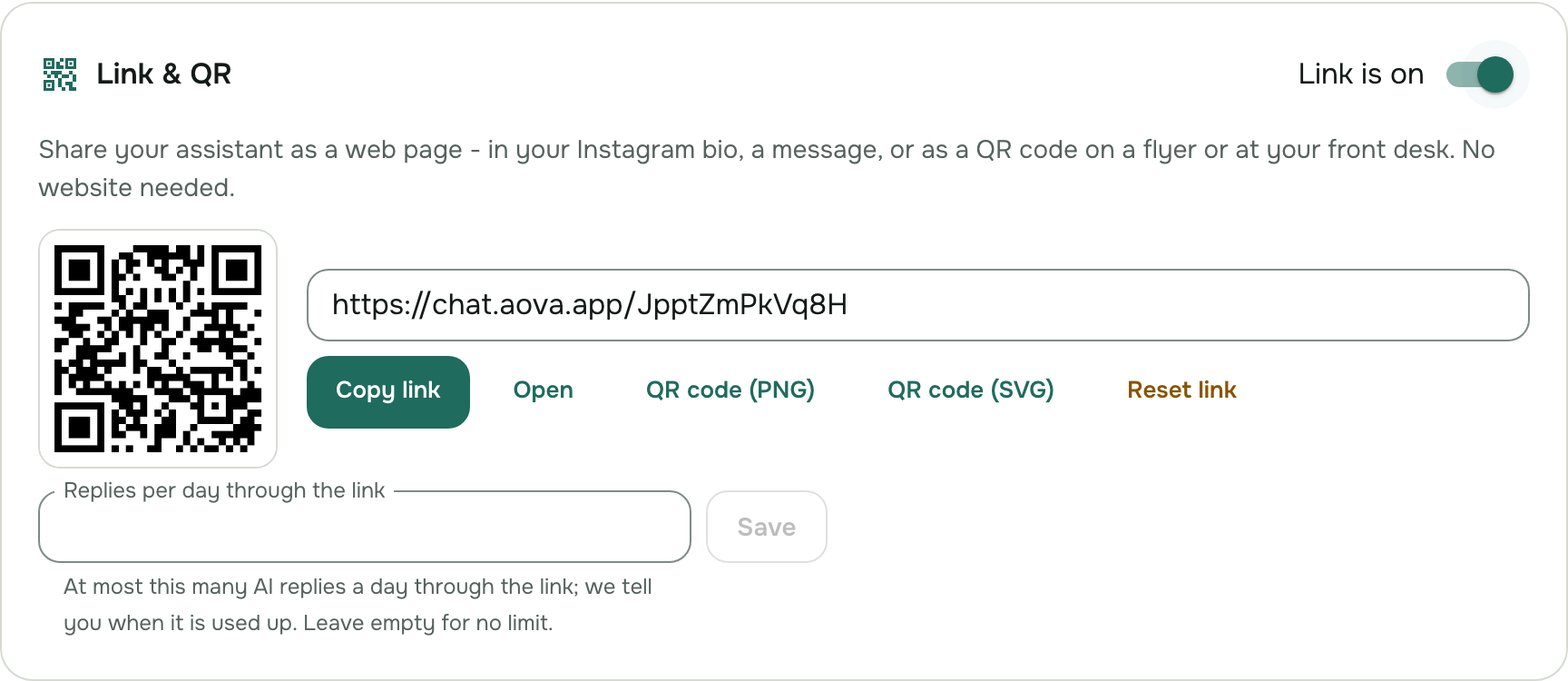
To change how the page looks, use Customize on the website widget card - the link shows the same colours, avatar and greeting.
Limit the cost
Anyone with the link can write, so it has a daily limit of AI replies: up to 50 a day on the Free plan, and no limit unless you set one on paid plans. When it runs out, the page tells visitors to come back tomorrow and we tell you once (see Get notified). The usual message limits apply too, a little stricter for the link.
Reset or turn off
- Reset link gives you a new link and QR code; the old ones stop working at once. Do this if a link ended up somewhere you didn't want. Your website widget is not affected.
- Switching Link is on off stops the link at once. Turning it on again gives a new link.
The page is never shown in search engines, and it shows visitors that they are talking to an AI assistant and that you store the conversation.