Use the chat API
The API channel lets your own app, website backend or bot send questions to an agent and get its answers. Use it when Telegram, WhatsApp and the widget don't fit.
Create an API channel
- Open Assistants in the rail, click the assistant, then its Channels tab.
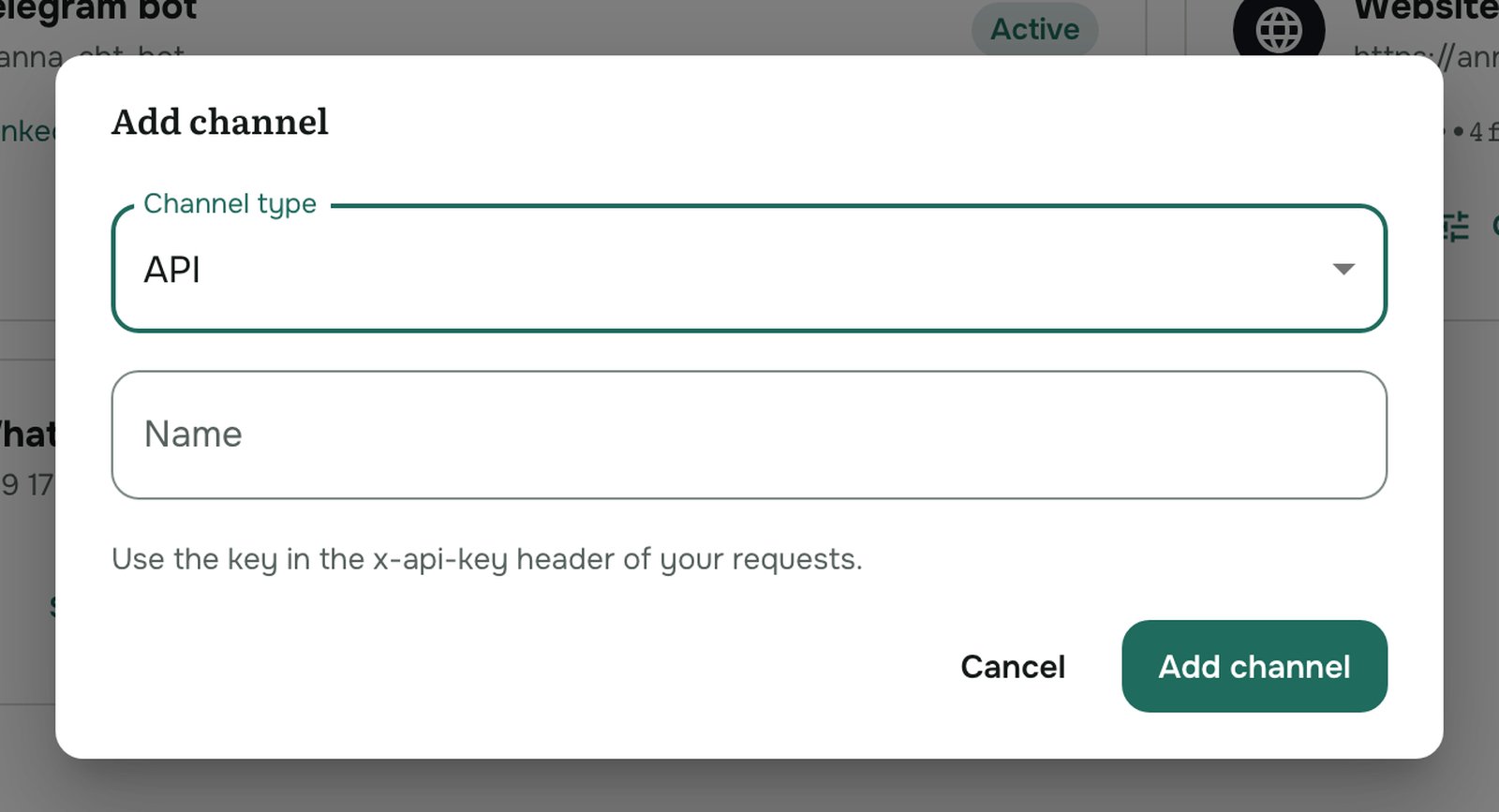
- Click Add channel, set Channel type to API, give it a name and click Add channel.
- On the channel's card, click Copy key.
Keep the key secret, on your server only. Anyone who has it can spend your credits. If it leaks, delete the channel and create a new one.
Send a message
Send a POST request with the key in the x-api-key header:
curl -X POST https://eecuqozkj0.execute-api.eu-west-1.amazonaws.com/prod/messages \
  -H "x-api-key: $AOVA_API_KEY" \
  -H "Content-Type: application/json" \
  -d '{
        "contactId": "customer-42",
        "text": "How much is a session?",
        "mode": "async",
        "callbackUrl": "https://your-app.example.com/aova-callback",
        "callbackSecret": "a-long-random-string"
      }'
| Field | Required | What it is |
|---|---|---|
contactId | Yes | Your own ID for the person asking, for example your user ID. Each contactId gets its own conversation and memory. |
text | Yes | The question. |
mode | No | "async" (recommended) to get the answer at your callbackUrl. Leave it out to wait for the answer in the response. |
callbackUrl | With async | Where AOVA sends the answer, over https. |
callbackSecret | With async | Used to sign the answer, so you can check it came from AOVA. |
idempotencyKey | No | Send the same key when you retry a request, so the question is answered only once. |
Async mode (recommended)
The request returns straight away with 202 Accepted:
{ "sourceMessageId": "ext-…", "status": "accepted" }
When the answer is ready, AOVA sends a POST to your callbackUrl:
{
  "sourceMessageId": "ext-…",
  "status": "completed",
  "text": "An individual session costs 90 EUR…",
  "sources": [ … ]
}
If the agent couldn't answer, status is "failed" and reason says why. The request carries an
X-SenBalance-Signature: sha256=<hex> header: the HMAC-SHA256 of the raw request body with your
callbackSecret. Compute it on your side and reject requests where it doesn't match.
If your callback endpoint was down, you can still fetch the result with
GET /messages/{sourceMessageId} and the same x-api-key header. It returns
{"status": "pending"} until the answer is ready.
Conversations sent in async mode appear in the Inbox and on the Insights page.
Waiting for the answer
Without mode, the response is the answer itself:
{
  "messageId": "…",
  "text": "An individual session costs 90 EUR…",
  "sender": "AGENT",
  "createdAt": "2026-10-03T09:12:44.120Z",
  "citations": [ … ]
}
This is the simplest way to try the API, but the request can take several seconds, and these conversations don't appear in the Inbox or on the Insights page. Use async mode in production.
Errors
| Status | Meaning |
|---|---|
400 | contactId or text is missing, or callbackUrl/callbackSecret is missing in async mode. |
401 / 403 | The key is wrong, or the channel was deleted. (A stopped channel doesn't answer either: start it on its card.) |
403 with "error": "CONTACT_BLOCKED" | You blocked this contactId. Nothing is answered or charged. When the channel replies to blocked contacts, the body also has "message": the text to show the person (sent at most once a day, so it's often absent). Applies in both modes. |
429 with "error": "MESSAGE_LIMIT" | The message is over a message limit (per contactId, per IP or the channel's daily budget). Nothing is answered or charged. scope says which limit, retryAfterSeconds (and the Retry-After header) when to try again, and "message" the text to show the person, unless the channel ignores limited messages silently. |
500 | Something went wrong on our side, for example the agent has no knowledge base. Try again later. |
Every answer uses credits, just like in other channels.