Use voice messages in Telegram
Many people would rather speak than type, and some would rather listen than read. A Telegram channel can do both: the assistant understands voice messages from your clients and can answer with a voice message of its own. Voice works in 18 languages.
Voice is set per Telegram channel and is off until you turn it on. WhatsApp, the website widget and the chat API answer text messages only.
Turn voice on
- Open the agent and go to its Channels tab.
- On the Telegram channel, click ⋯ → Edit settings (or set it up while adding a new channel).
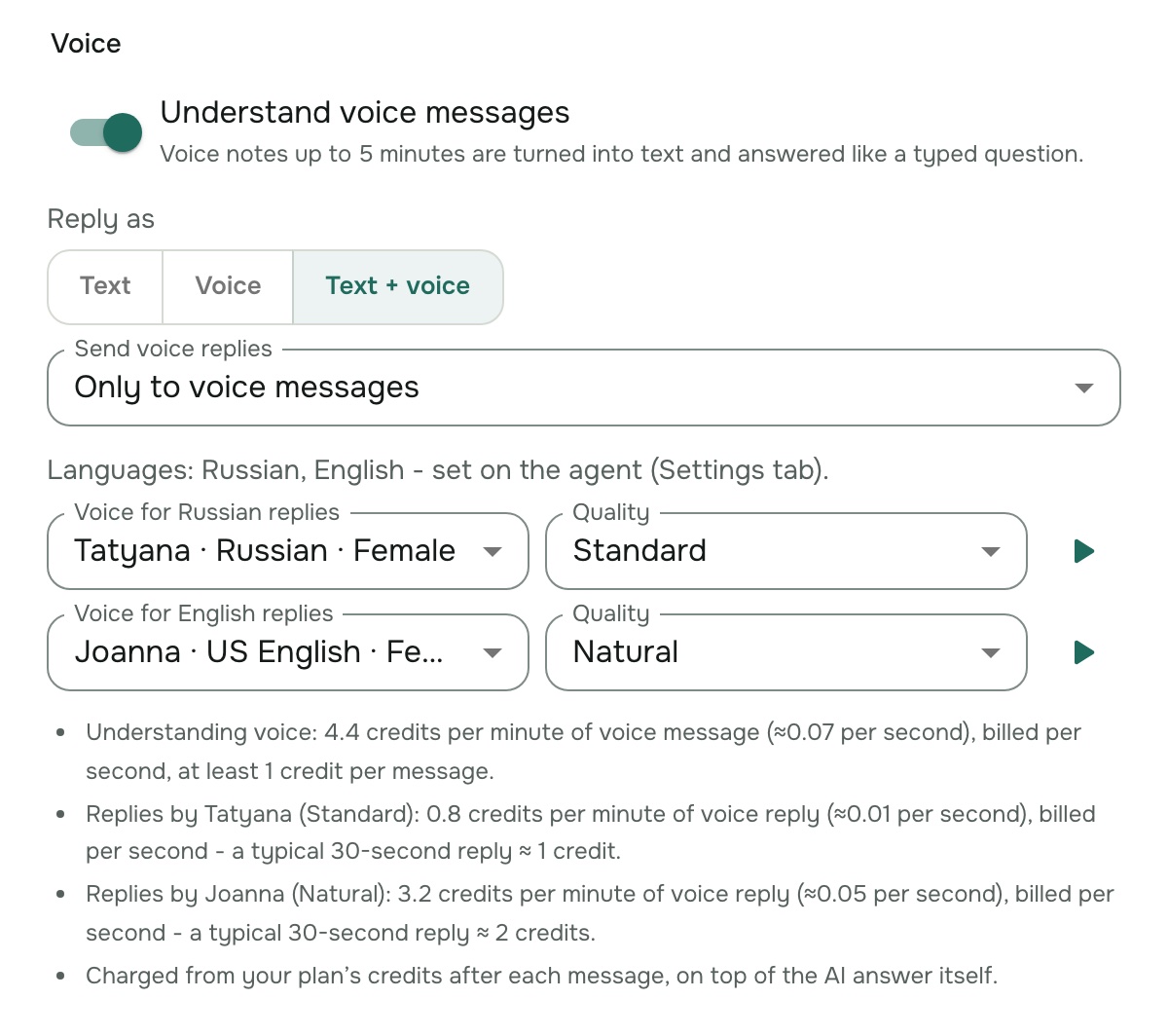
- In the Voice section, choose the options below and click Save.
| Setting | What it does |
|---|---|
| Understand voice messages | Voice messages up to 5 minutes are turned into text and answered like a typed question. |
| Reply as | Text (as before), Voice (a voice message only) or Text + voice (the written answer, then a voice message of it). |
| Send voice replies | Only to voice messages: clients who type get text, clients who speak hear the answer. Always: every answer is voiced. Shown when replies include voice. |
| Voice for language replies | The voice that speaks answers in each of the agent's languages, with its Quality. Click ▶ to listen to it first. |
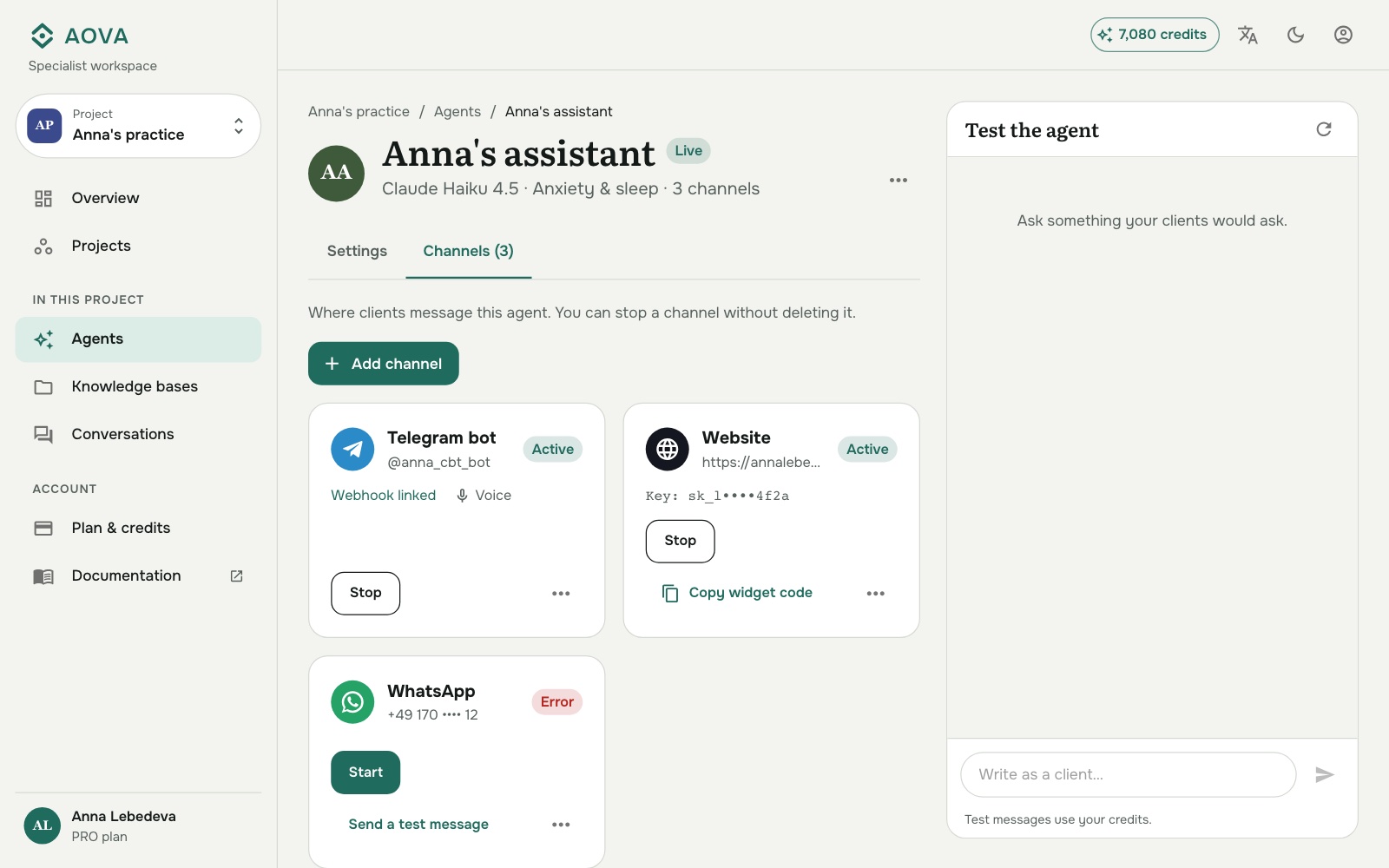
A channel with voice on shows a Voice chip on its card.
Choose the languages
The languages are set on the agent, not on the channel, so text and voice always agree. Open the agent's Settings tab and pick up to 5 Languages:
- With one language, every voice message is understood and answered in it.
- With several, the assistant recognises which one each client speaks and answers in the same language. Fewer languages recognise more accurately, so only add the ones your clients use.
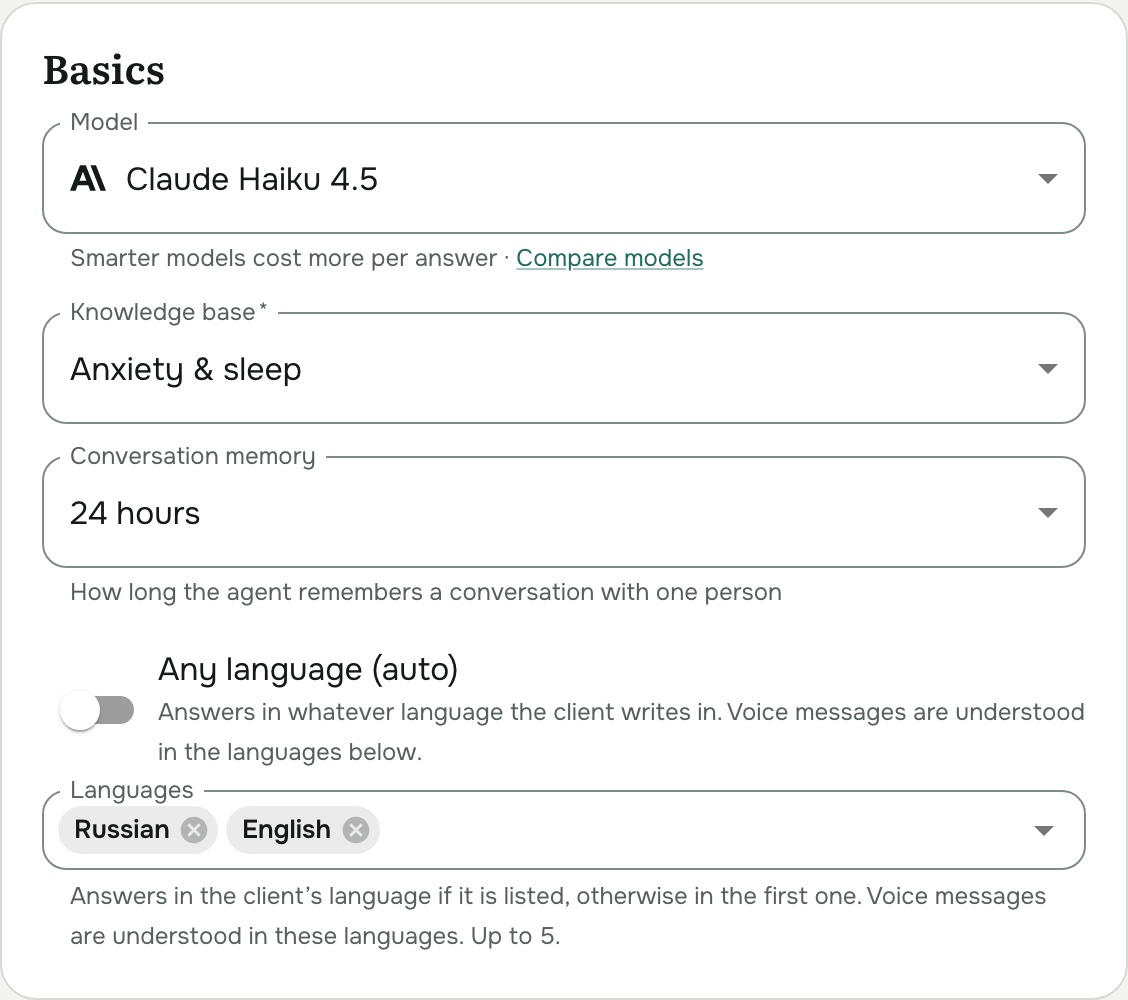
Any language (auto) lets the agent answer typed messages in whatever language the client writes. Voice messages are still understood in the languages listed below it. See Supported languages for the full list.
Choose a voice
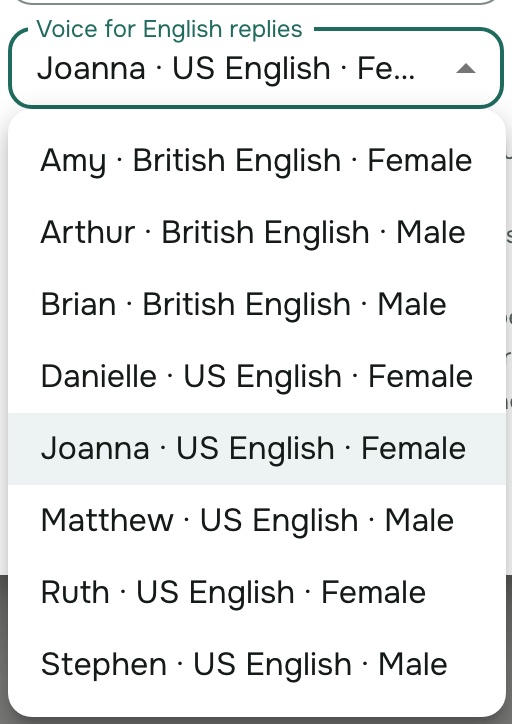
Each of the agent's languages gets its own voice. The list offers every voice available for that language, with its accent and gender (for English: US, British, Australian, Indian and more), and three qualities:
| Quality | Sounds like | Price of voice replies |
|---|---|---|
| Standard | Clear, slightly synthetic | 0.8 credits per minute |
| Natural | Natural intonation; good for most assistants | 3.2 credits per minute |
| Premium | The most expressive and human-sounding | 6.1 credits per minute |
Not every voice offers every quality. Click ▶ to hear a sample sentence before you save.
What your clients see
- While a voice message is being understood, Telegram shows the bot as typing.
- With Voice, Telegram shows recording voice, then the voice message arrives. If the answer has sources or links, they follow as a short text message, since links can't be spoken.
- Formatting, code, tables and web addresses aren't read aloud. A very long answer is voiced up to a sentence break (about 2,800 characters); with Voice, the full text is then sent too, so nothing is lost.
- If a voice reply can't be made, the client gets the answer as text instead.
- Clients are always told when a voice message can't be handled, in Russian if their Telegram is in
Russian, otherwise in English:
- voice off: "Sorry, I can't listen to voice messages here. Please type your question."
- longer than 5 minutes: "That voice message is too long..."
- unclear or silent: "Sorry, I couldn't make out that voice message..."
- no credits left: "Sorry, I can't listen to voice messages right now..."
In Conversations, a voice message appears as the text it was understood as, so you can review voice conversations like typed ones. If you use Admin chat IDs, the admin copy of a voice question is marked 🎤 and shows that text.
Telegram video messages (round "video notes"), audio files, photos and stickers aren't answered.
What it costs
Voice is available on every plan and paid in credits, on top of the AI answer itself:
| Usage | Price |
|---|---|
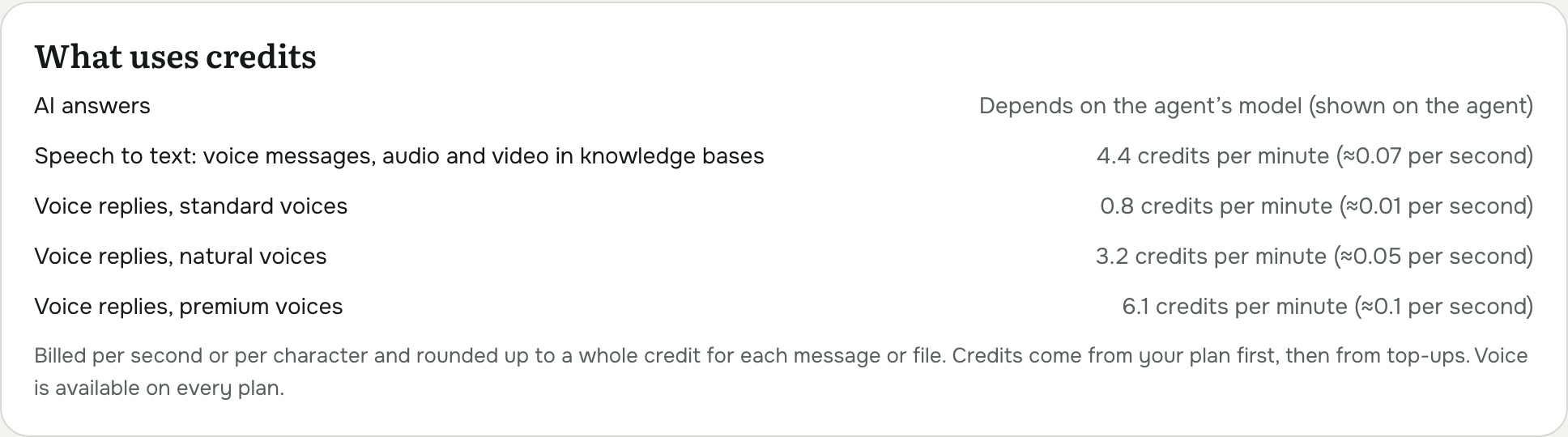
| Understanding a voice message | 4.4 credits per minute of voice message |
| Voice reply | 0.8 / 3.2 / 6.1 credits per minute (by quality) |
Both are billed per second and rounded up to a whole credit per message, so a short voice message costs 1 credit to understand. A typical 30-second reply costs about 1 credit in Standard quality or 2 in Natural. The settings dialog shows the exact prices for the voices you picked, and Plan & credits → What uses credits lists them all.
When your balance runs out, voice messages get the "no credits" notice above instead of an answer.
Troubleshooting
- "I couldn't make out that voice message" for clear speech. Check the agent's Languages include the language the client spoke. With several languages, very short messages (a word or two) are the hardest to recognise; removing languages nobody uses helps.
- Voice messages get "I can't listen to voice messages here". Understand voice messages is off for this channel.
- No voice replies. Check Reply as isn't Text. With Only to voice messages, typed questions get text by design. If understanding voice messages is off and replies go only to voice messages, nothing is ever voiced; the settings dialog warns you about this.