Block a contact
If someone spams your agent, abuses it, or just shouldn't be using it, block them. A blocked contact's messages never reach your agent: it doesn't answer, and no credits are spent on them. Their messages are still saved in the conversation, so you can see what they sent.
A block applies to one person in one channel: blocking someone in Telegram doesn't block their WhatsApp number, or a widget visitor on your website.
Block someone
-
Open Conversations and click the person's conversation.
-
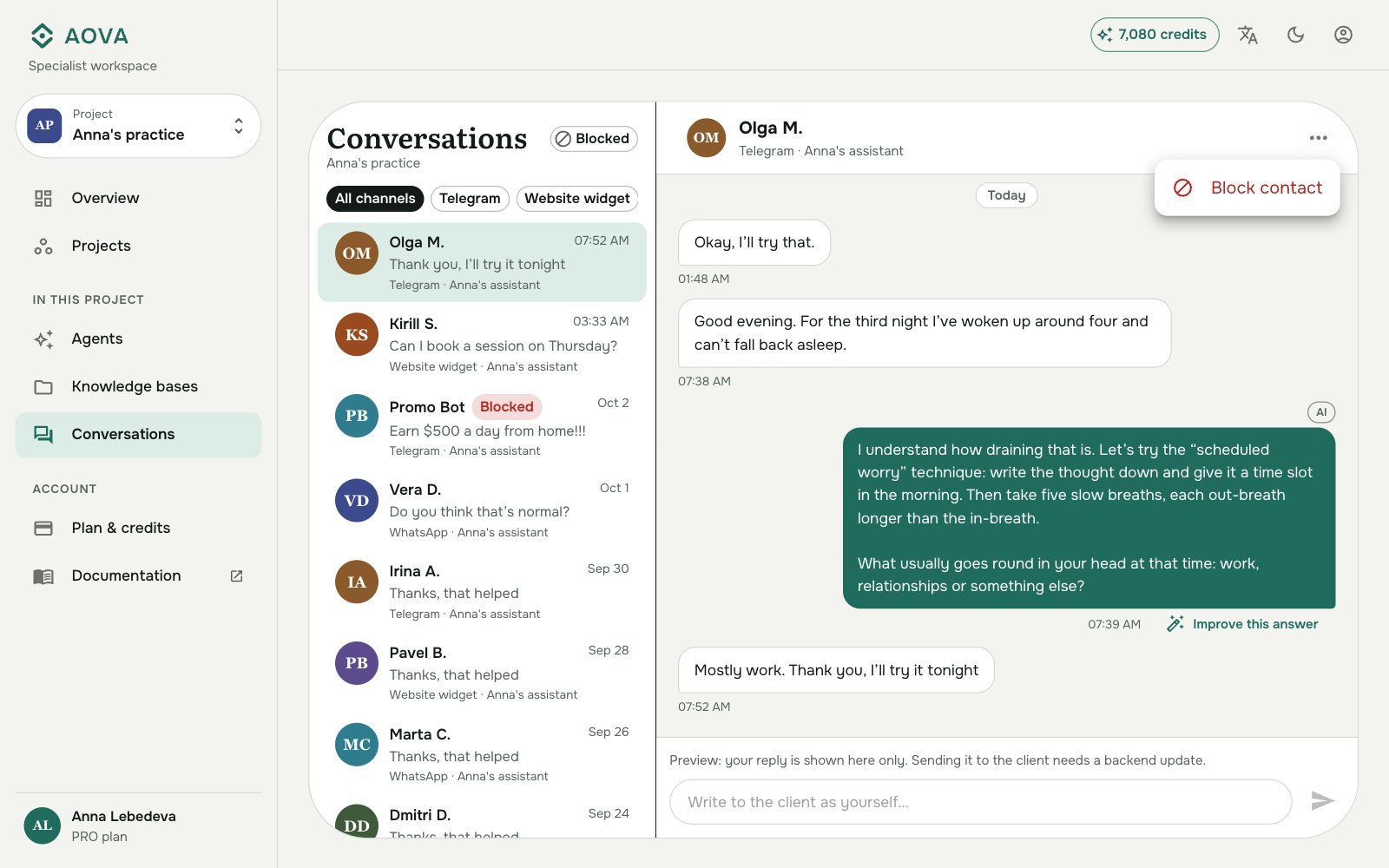
Click ⋯ at the top right of the conversation and choose Block contact. On a wide screen you can also use Block contact at the bottom of the contact details on the right.
-
Confirm with Block contact.
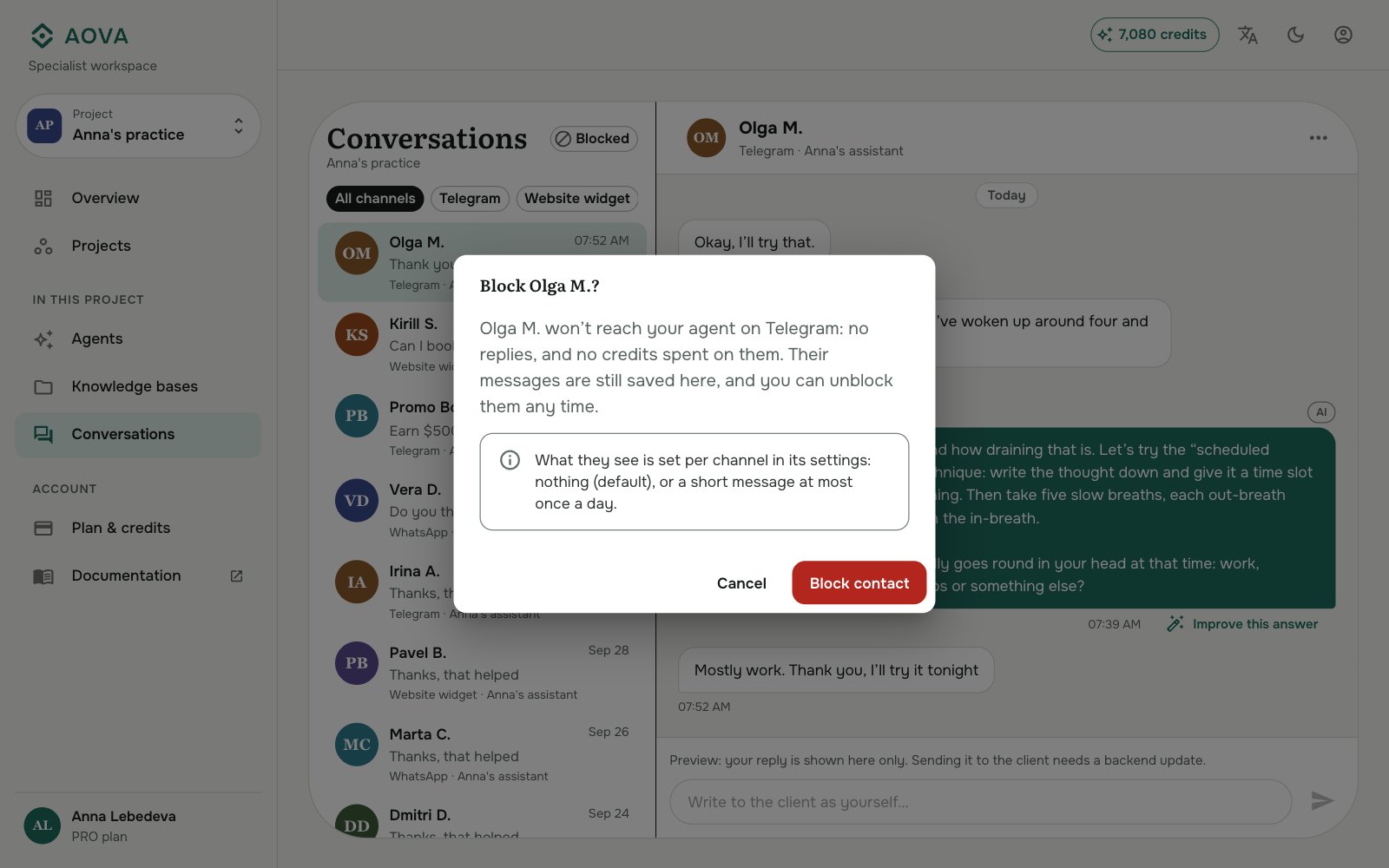
A Blocked label appears next to their name. If you blocked the wrong person, click Undo in the message at the bottom of the screen.
What you see afterwards
The conversation stays in the list. Anything they send from now on is shown greyed out with Not delivered · blocked, and the agent doesn't reply. The contact details show since when they are blocked and how many messages they have sent since. A blocked contact writing again doesn't move their conversation to the top of the list.
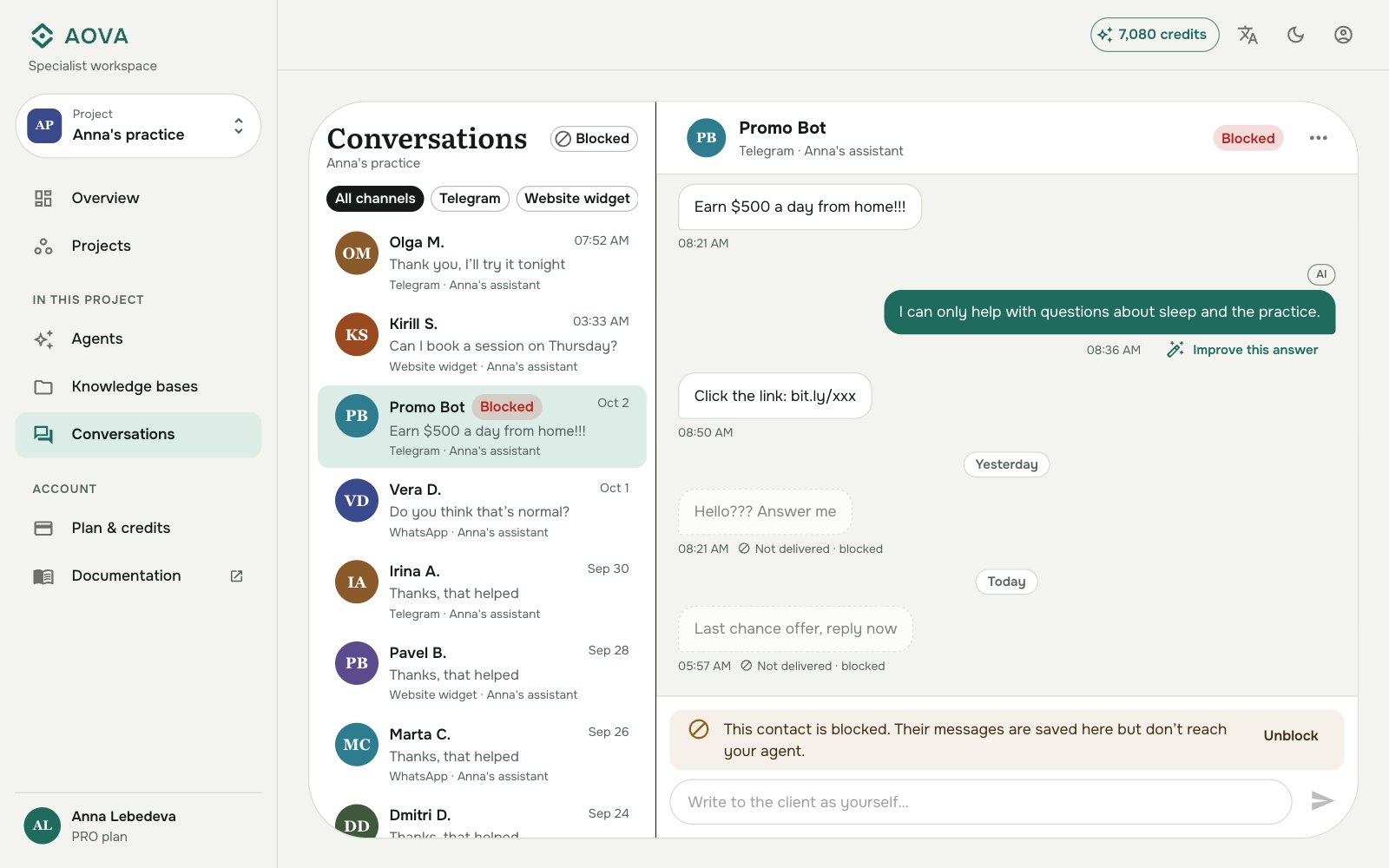
To see only blocked contacts, click Blocked next to the Conversations heading. Click it again to see everyone.
Choose what they see
By default a blocked contact gets no reply at all. Their messages simply go unanswered. You can instead send them a short message, separately for each channel:
- Open Agents, the agent, then the Channels tab.
- On the channel's card, click ⋯ → Edit settings.
- Under Blocked contacts, choose Reply with a message.
- Type your message, or leave it empty to use the standard text in the client's language: "Sorry, you can't send messages to this assistant." (or its Russian version). Up to 500 characters.
- Click Save.
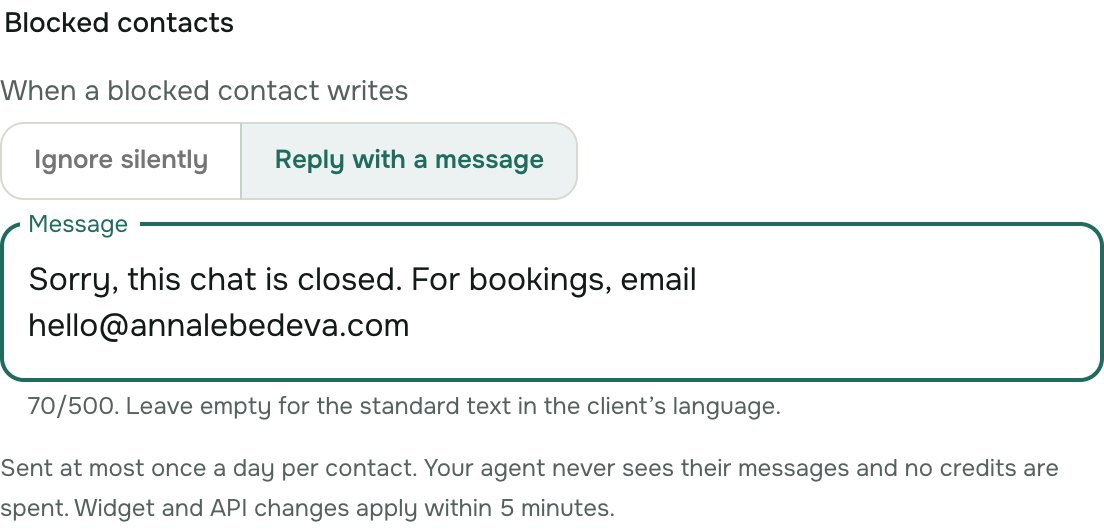
The message is sent at most once a day to each blocked contact, however much they write, so it can't turn into a conversation. Like the block itself, it costs no credits.
| Channel | What the blocked contact sees |
|---|---|
| Telegram, WhatsApp | Your message as a normal chat message, or nothing. Voice messages aren't listened to. |
| Website widget | Your message as the reply, or a generic "Something went wrong" when the channel ignores them. |
| Chat API | An error response with your message in it - see Errors. |
For the widget and the API, a changed setting can take up to 5 minutes to apply.
Unblock someone
Open their conversation and click Unblock, in the bar above the reply box, in the ⋯ menu, or in the contact details. Their next message is answered as usual. Messages they sent while blocked stay marked as not delivered: the agent doesn't answer them afterwards.