Embed the chat widget
The website widget channel adds a chat bubble to your own website that talks to one of your agents, without needing Telegram or WhatsApp.
Add a widget channel
- Open the agent you want to expose — its page has a Channels panel next to its details.
- Click Add channel, and set the channel type to Website Widget.
- Name it, and optionally set a welcome message (the first thing visitors see) and the list of Allowed origins — the exact scheme + host of every site this widget will be embedded on, one per line.
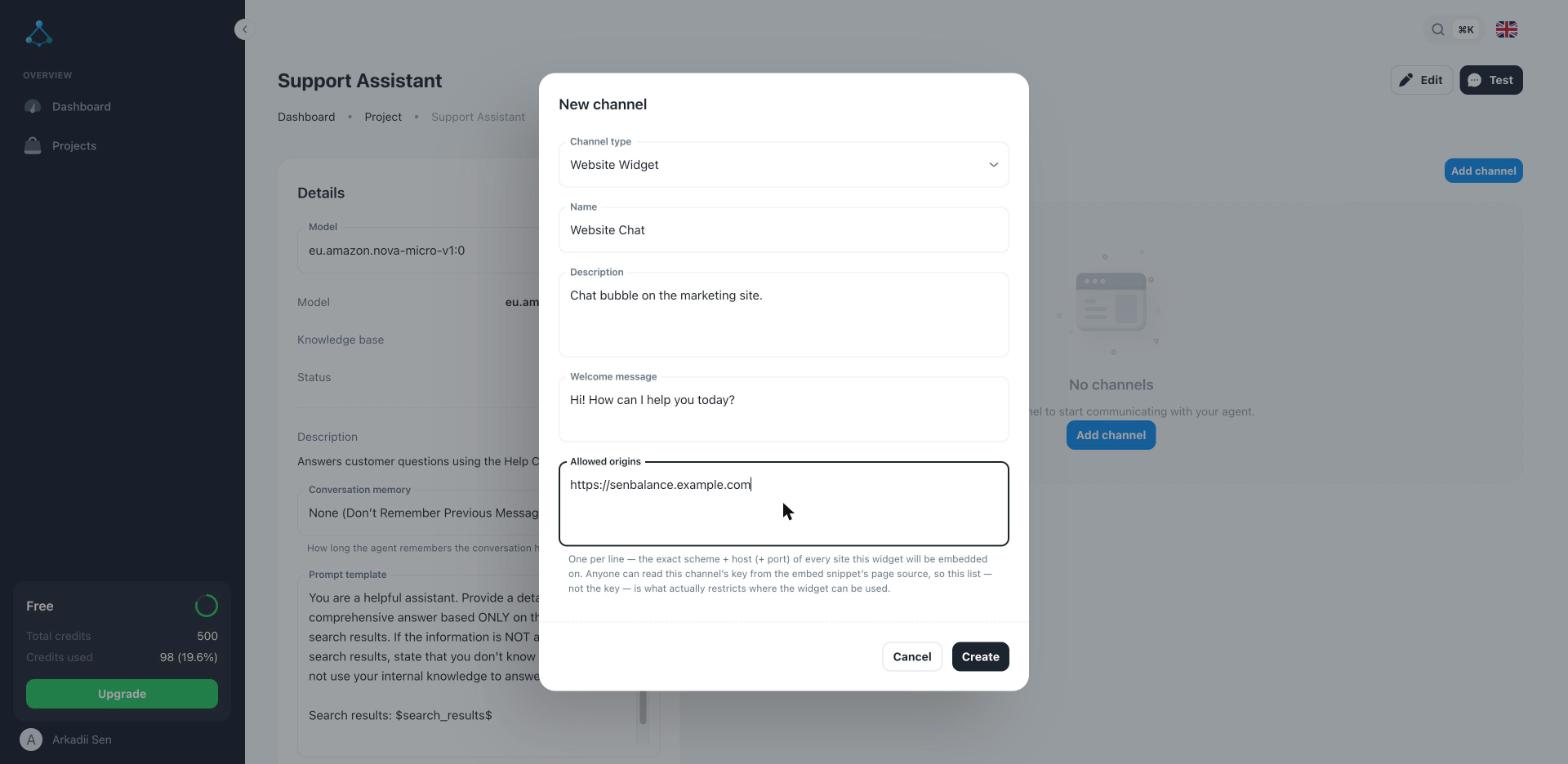
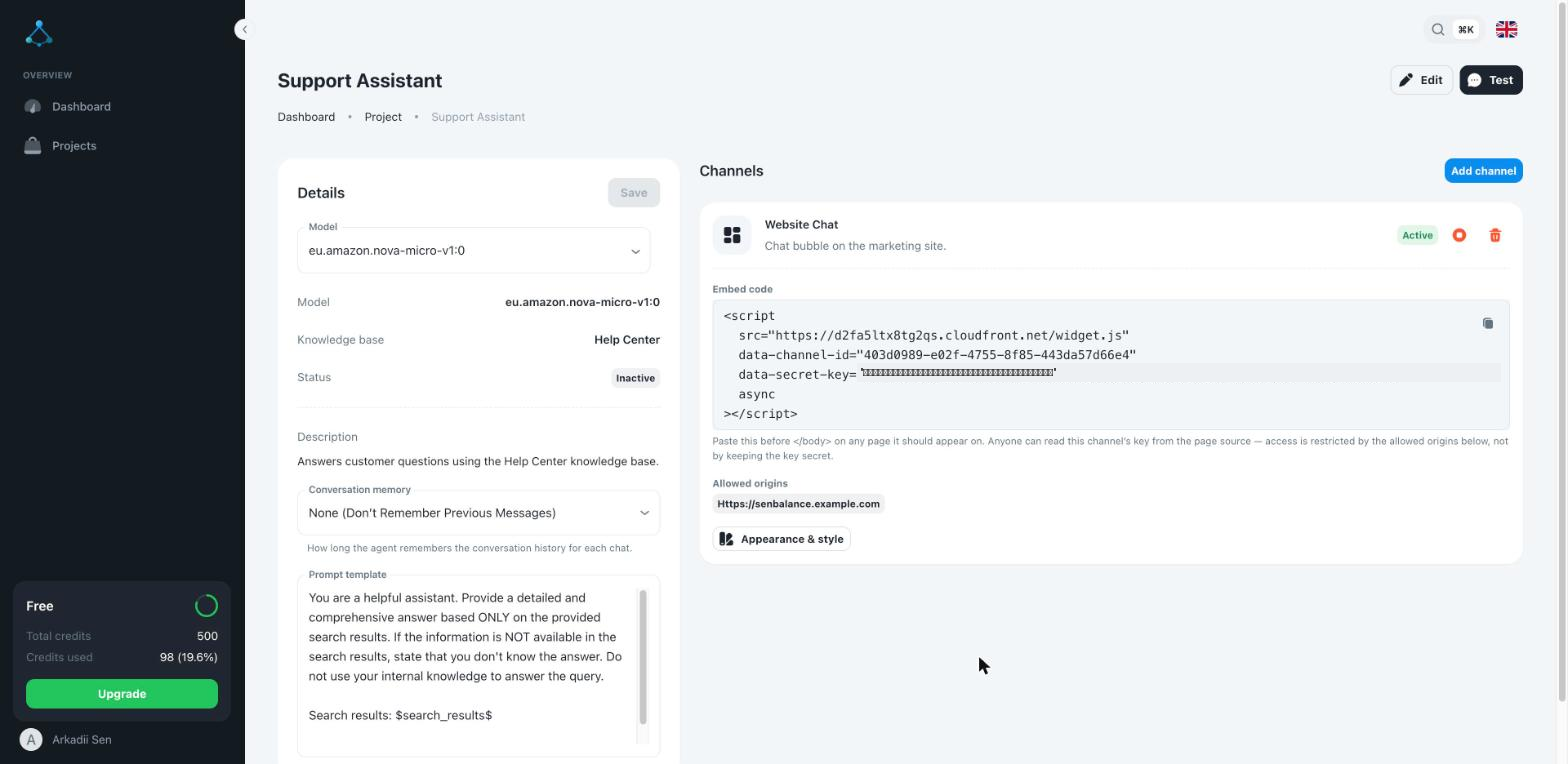
- Click Create. The channel's card now shows an embed snippet.
Add it to your site
Paste the snippet before the closing </body> tag of every page it should appear on.
It loads a small script that renders the chat bubble and talks to your agent — no
other setup needed.
Anyone can read the snippet's key from your page's source — that's expected. Access is restricted by the Allowed origins list you set, not by keeping the key secret, so keep that list accurate rather than worrying about the key leaking.
Customize appearance
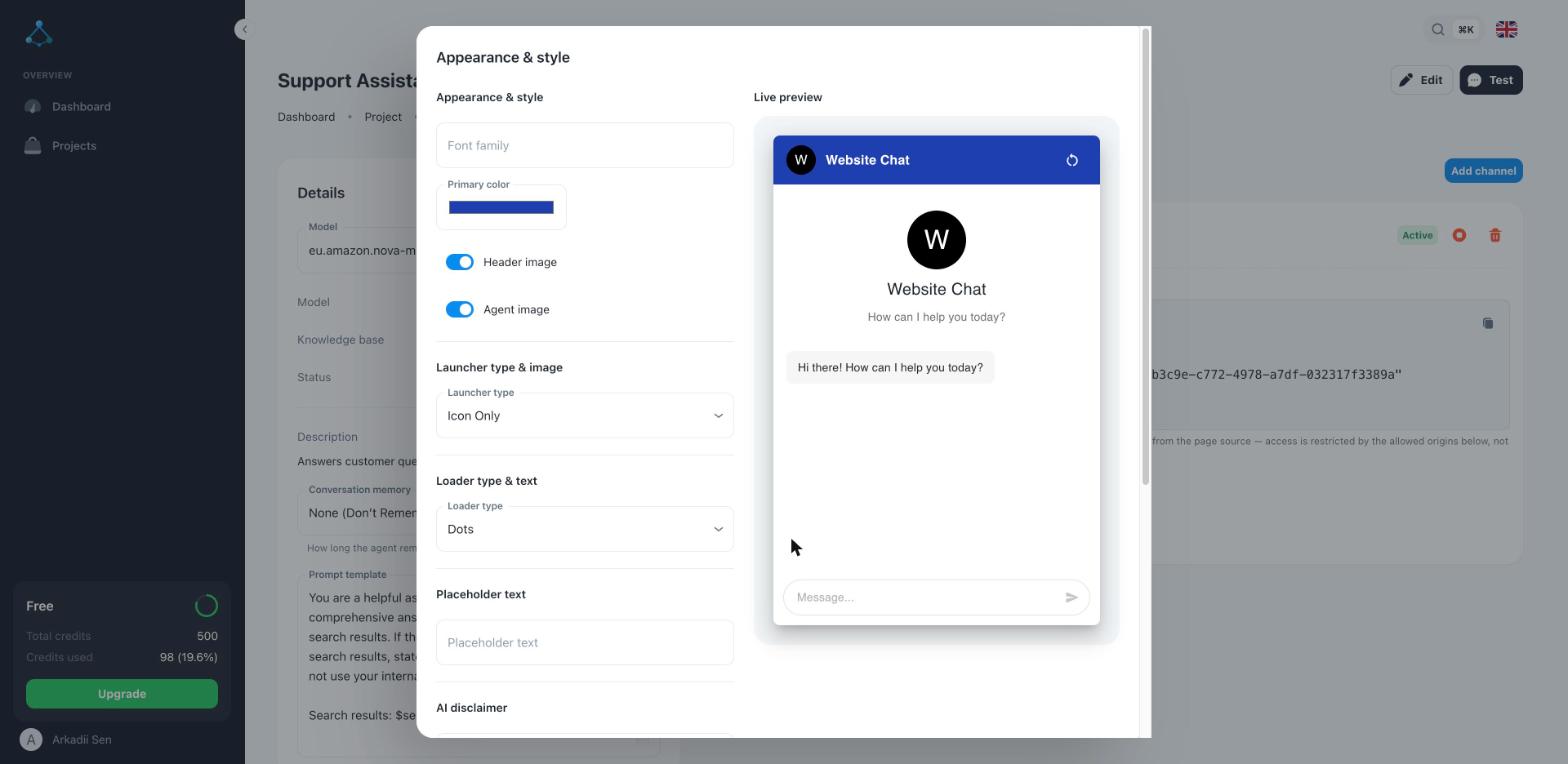
Click Appearance & style on the channel to open an editor with a live preview: font, primary color, whether the header/agent images show, the launcher type, the loading indicator, and placeholder text.
Troubleshooting
- The bubble doesn't appear — check the browser console on your site for a blocked or failed script load, and confirm the current page's origin is in the channel's Allowed origins list.
- Messages aren't answered — the widget uses its channel's agent and knowledge base; verify that agent has a knowledge base attached and responds correctly from its own Test preview first.